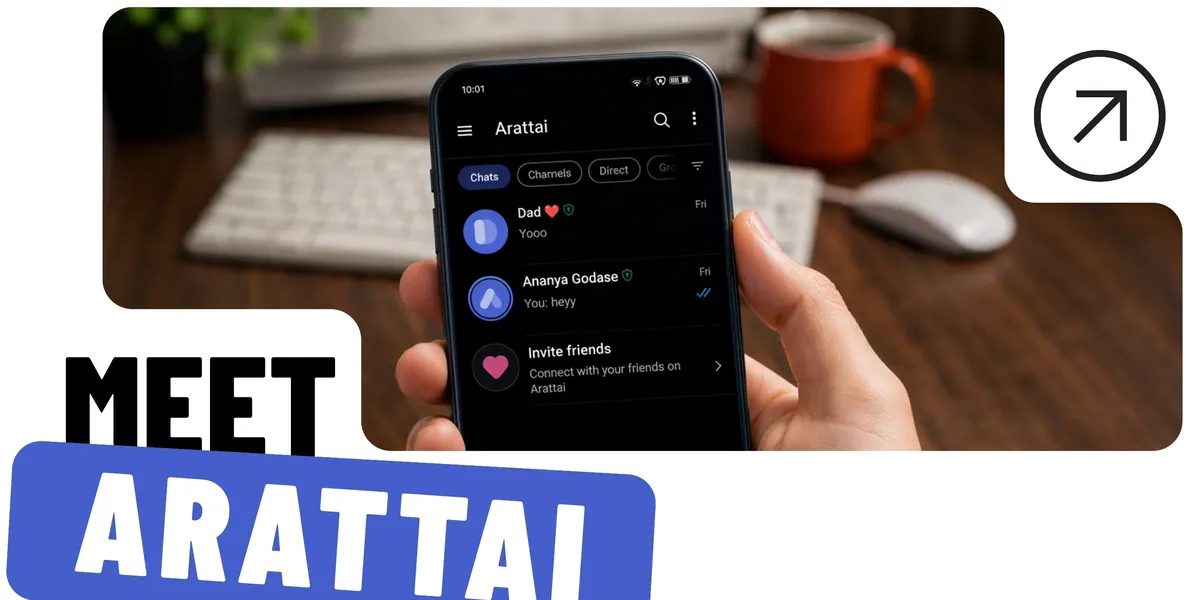
A proposal to give Zoho’s Arattai a clear reason to exist: everyday communication for small businesses, and a way for people who aren’t on the app to reply without installing it.
My role
Research, personas, stakeholder mapping, ideation, flows and UI
Timeline
4 weeks
Team
4 people
Tools
Figma
Team of 4. I did the research, user personas, stakeholder mapping, ideation, user and task flows, and the UI.
TL;DR
Problem
Arattai surged in October 2025 but couldn’t hold on to people: there was no clear reason to switch from WhatsApp, and once installed, most of their contacts weren’t on it.
My role
I did the research, personas, stakeholder mapping, ideation, flows and UI, in a team of four.
Solution
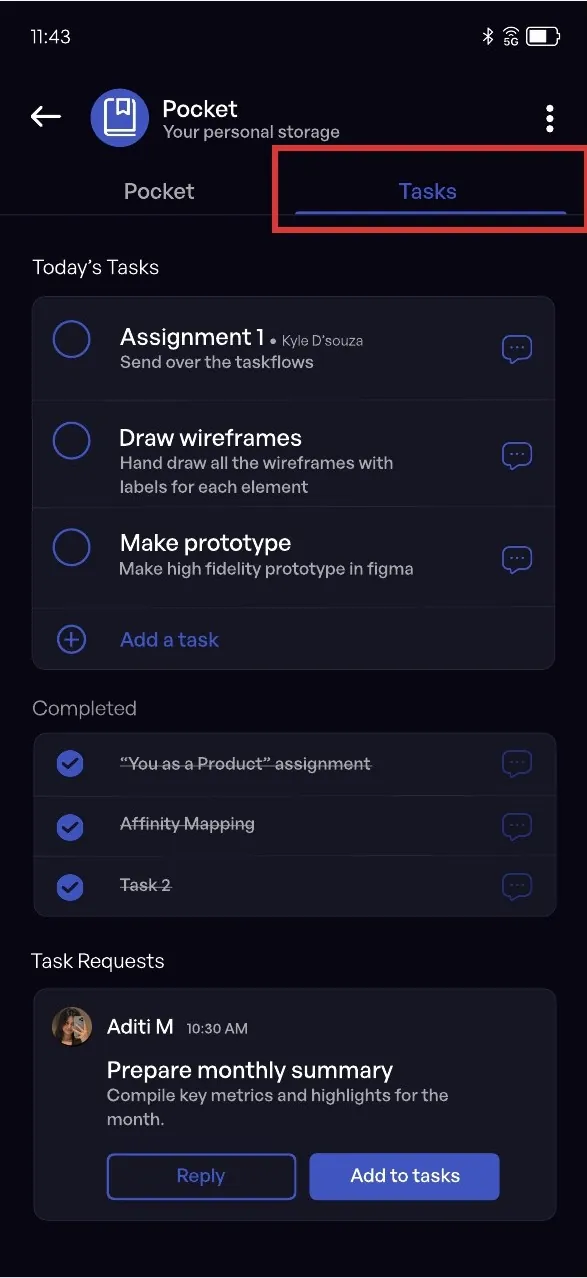
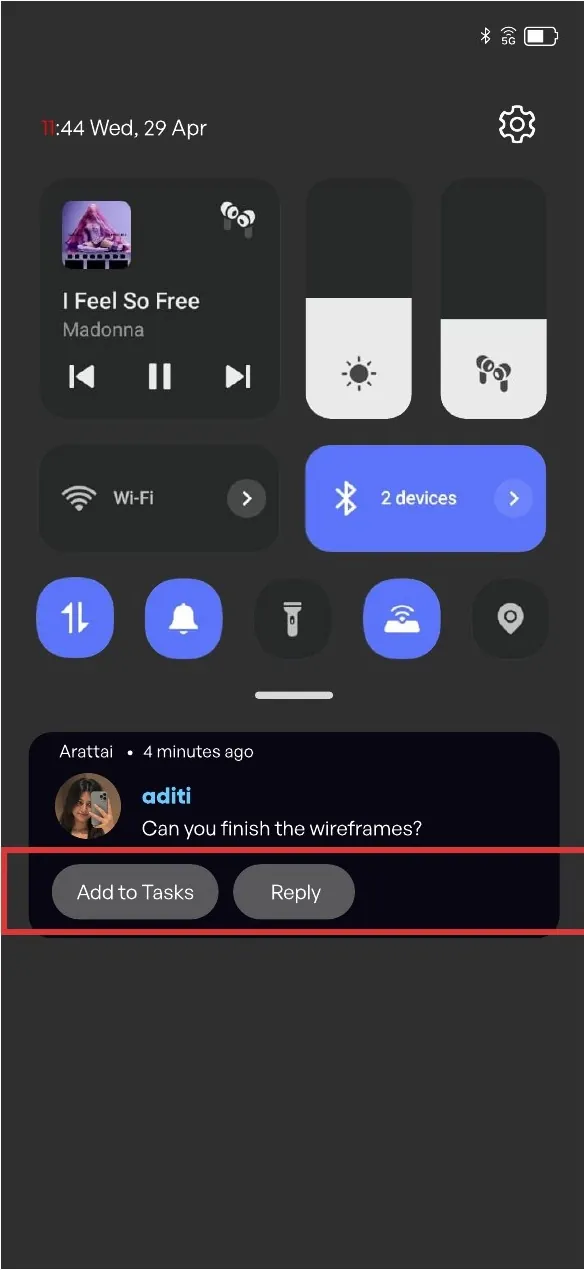
Position Arattai for small-business communication: messages become tasks, with end-of-day summaries and one-tap approvals. Guest links let non-users reply from their browser.
Result
A proposal and high-fidelity prototype. It hasn’t been tested with users yet; the metrics I’d use to judge it are at the end.
Pitched as a Made in India WhatsApp alternative, Arattai passed 7.5 million downloads in early October 2025
Then the surge faded
Downloads fell sharply within a month, and active users stopped growing.
13.8Mdownloads in October 2025
<200Kdownloads in early November 2025
1.17M → 4.35M → 4.09Mmonthly active users, September to November 2025
#105 · #123overall rank on Google Play and the App Store, 4 November 2025
No strong “why”: lacks a clear value proposition beyond being a WhatsApp alternative, which is a weak reason to switch or stay.
Features like Pocket and mentions are hard to locate.
Feature misalignment: features like Meetings exist, but don’t clearly match user needs or feel essential.
No established network, leading to drop-offs even after downloading.
Generic visual identity: feels too similar to WhatsApp, lacks distinct personality or emotional pull.
Solution
Add value, reduce drop-offs
Arattai needed a real reason to exist next to WhatsApp, and it kept losing people the moment they couldn’t reach someone not yet on the app.
We designed one fix for each.
01
Position Arattai for daily business communication
Fixes: No strong “why” to switch or stay
Where Arattai sits
WhatsAppCasual, fast
Arattai
TeamsFormal, heavy
Fast like WhatsApp. Clear like Teams.
Messages → tasks
Turn any message into a task with an owner and a due date.
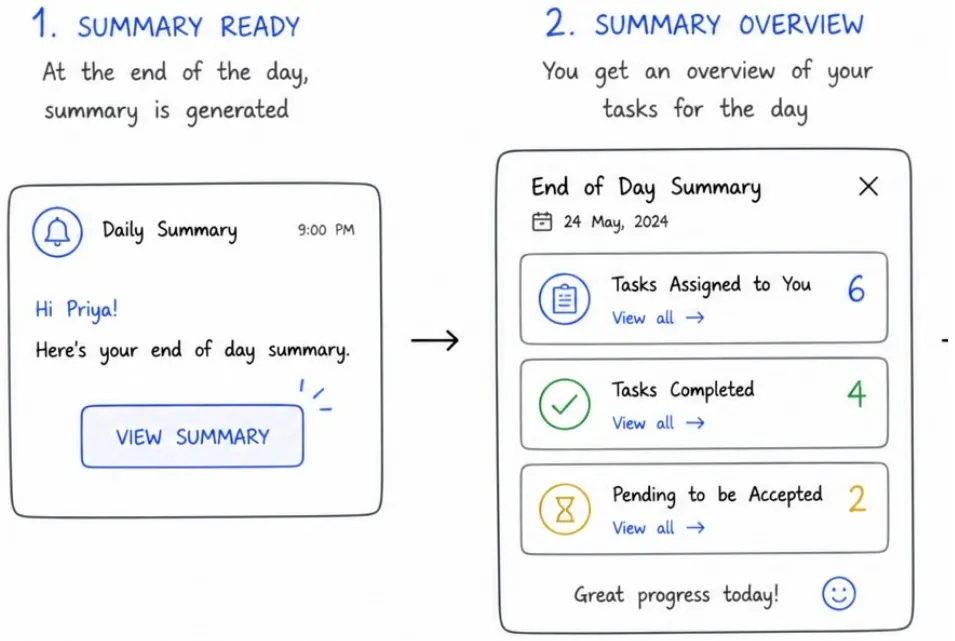
End-of-day summary
Each chat gets a daily recap of what’s still pending.
One-tap approvals
Approve requests right inside the conversation.
All without leaving the chat.
TasksNotificationsIn-chat task creation
Why Arattai, when Zoho already has Cliq?
Cliq is Zoho’s Slack-style chat that companies set up for their staff. The people we designed for (shop owners, small agencies, freelancers and their clients) will never set that up; they already run their work on WhatsApp. Arattai has the consumer reach to win them, without competing with Cliq for the offices that use it.
02
Let non-users reply instantly, without downloading anything
Fixes: Drop-offs from having no network on the app
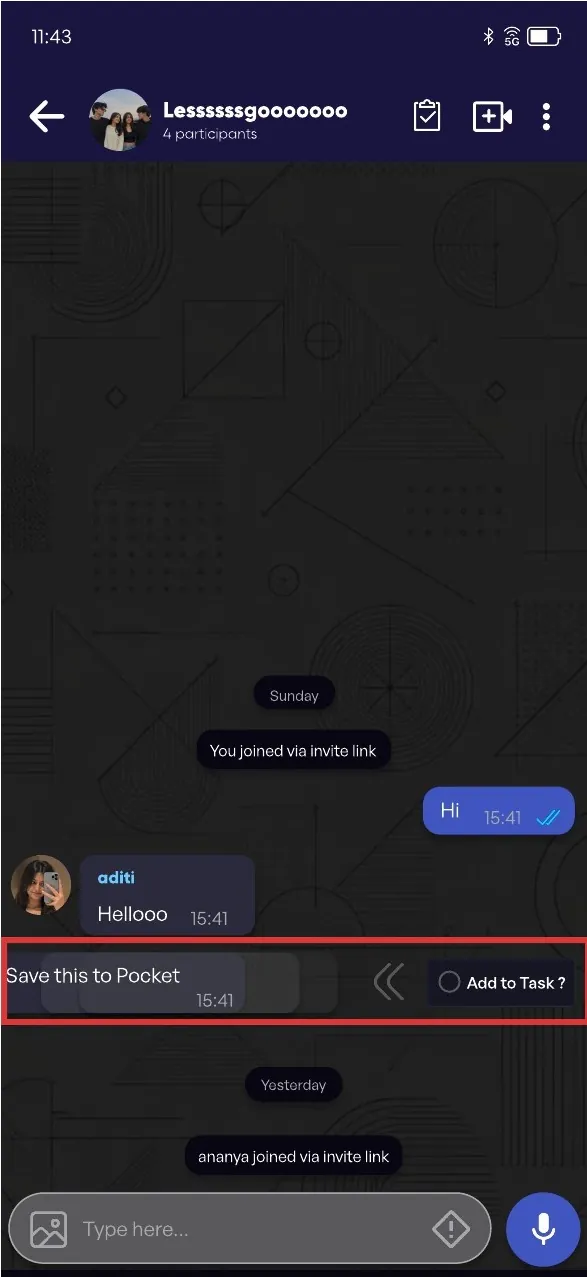
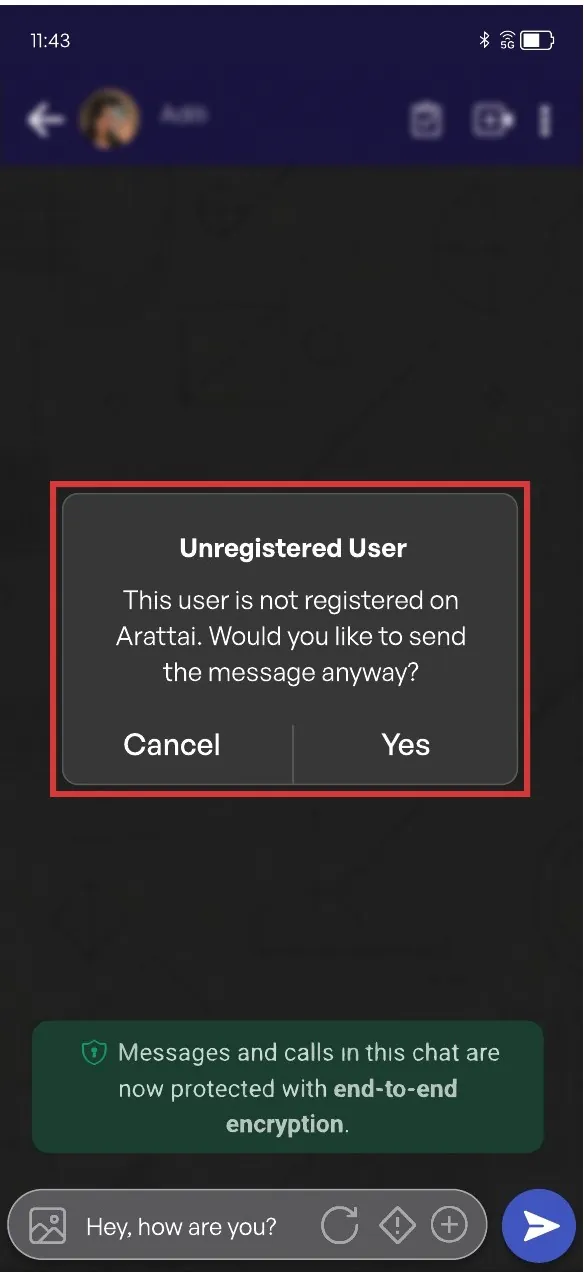
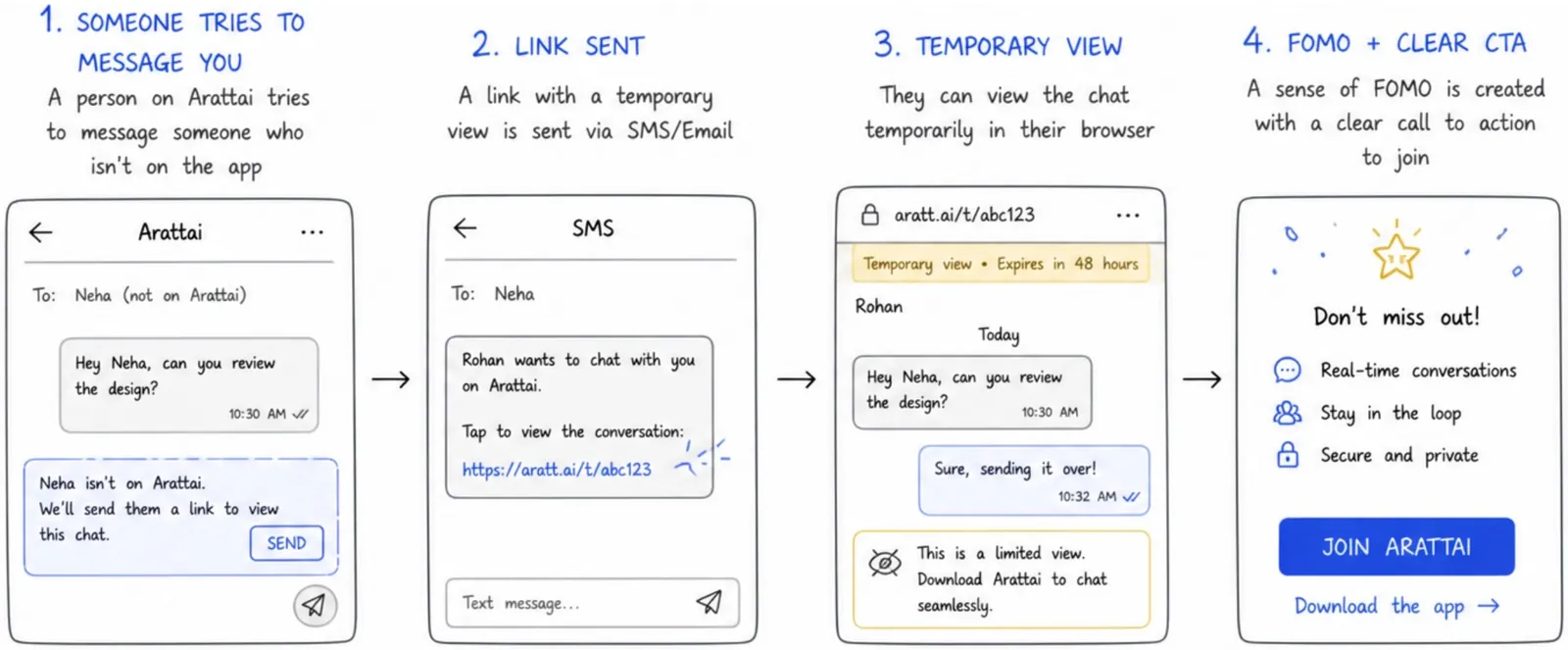
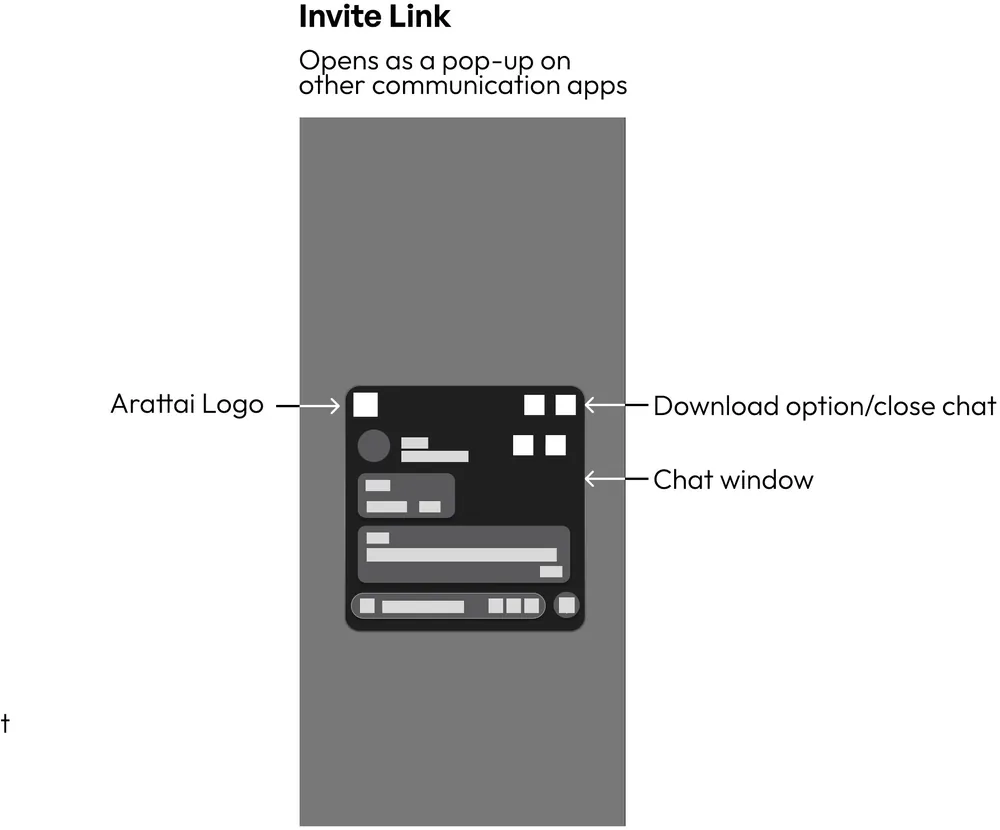
Step 1An Arattai user messages someone who isn’t on the app.
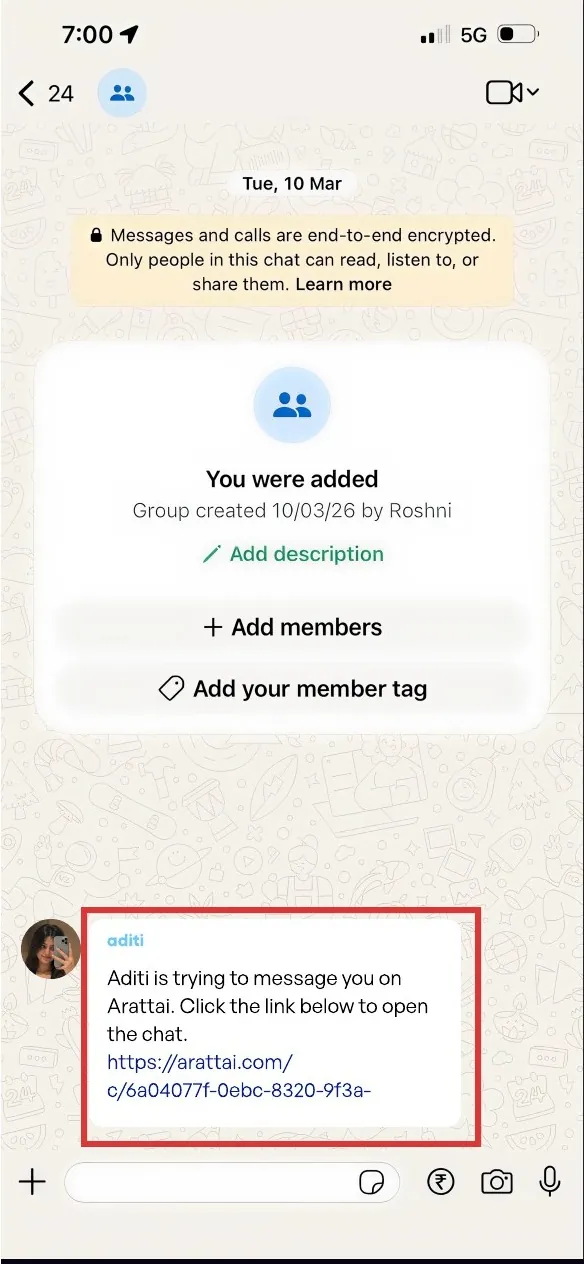
Step 2That person gets an SMS link to a temporary, limited chat in their browser.
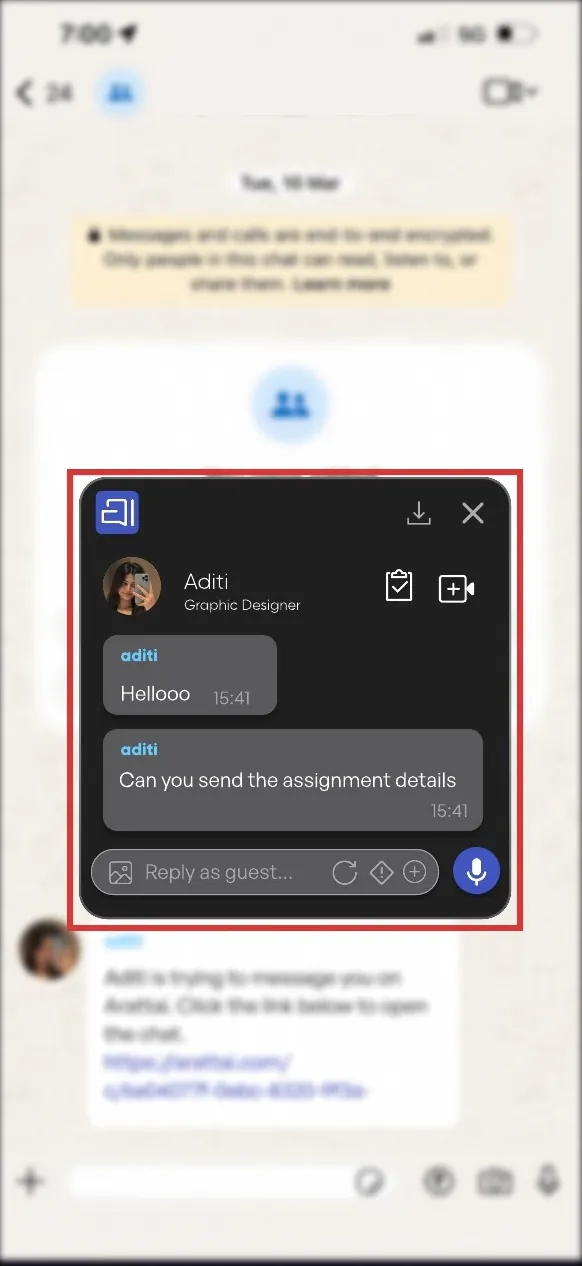
Step 3They read and reply right there, with a clear “Join Arattai” prompt.
No download required
Messaging a non-userThe guest linkThe temporary chat
Privacy and trust
Arattai’s selling point is privacy, and SMS links are a common phishing route in India. A guest link has to be safe and look safe. These are proposals I haven’t designed screens for yet.
It expiresThe link stops working after a set time, or once the conversation goes quiet.
It checks who opens itThe guest confirms a one-time code sent to the same number, so a forwarded link is useless.
It’s recognisableThe SMS names the person who sent it and uses Arattai’s own domain. It never asks for a password or payment.
Guests see only that chatMessages from the invite onwards, in that one conversation. No contacts, other chats, earlier history or other members’ numbers.
The complete design process
Phase 01
Research
Where could Arattai actually win, and what do people struggle with in the apps they already use?
Market scan
Casual texting is taken
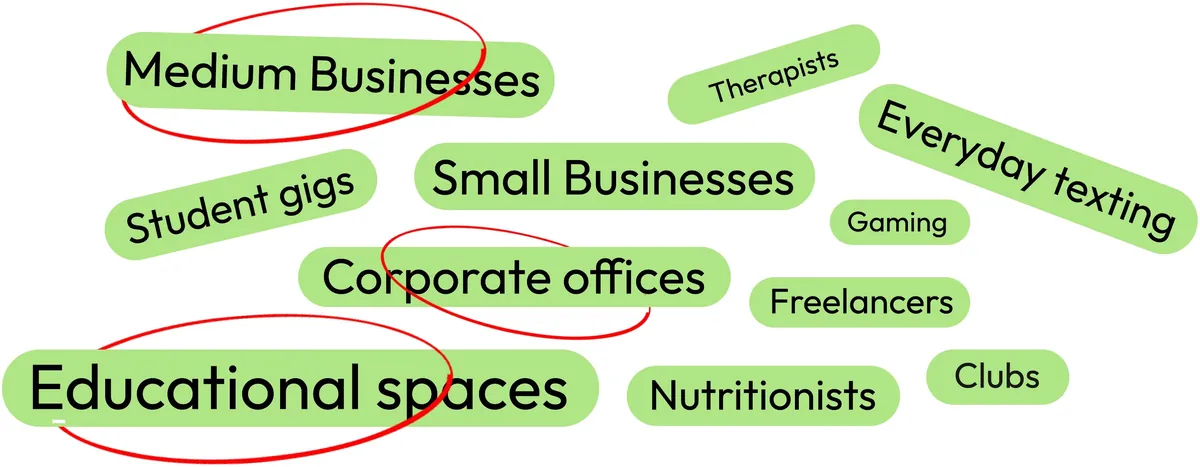
The casual texting space is already dominated by a wide range of apps. Competing head-on wasn’t realistic, so I looked for sectors Arattai could own instead.
I mapped other sectors we could target and circled three with the clearest need for fast but structured communication:
Medium businessesCorporate officesEducational spaces
Secondary research
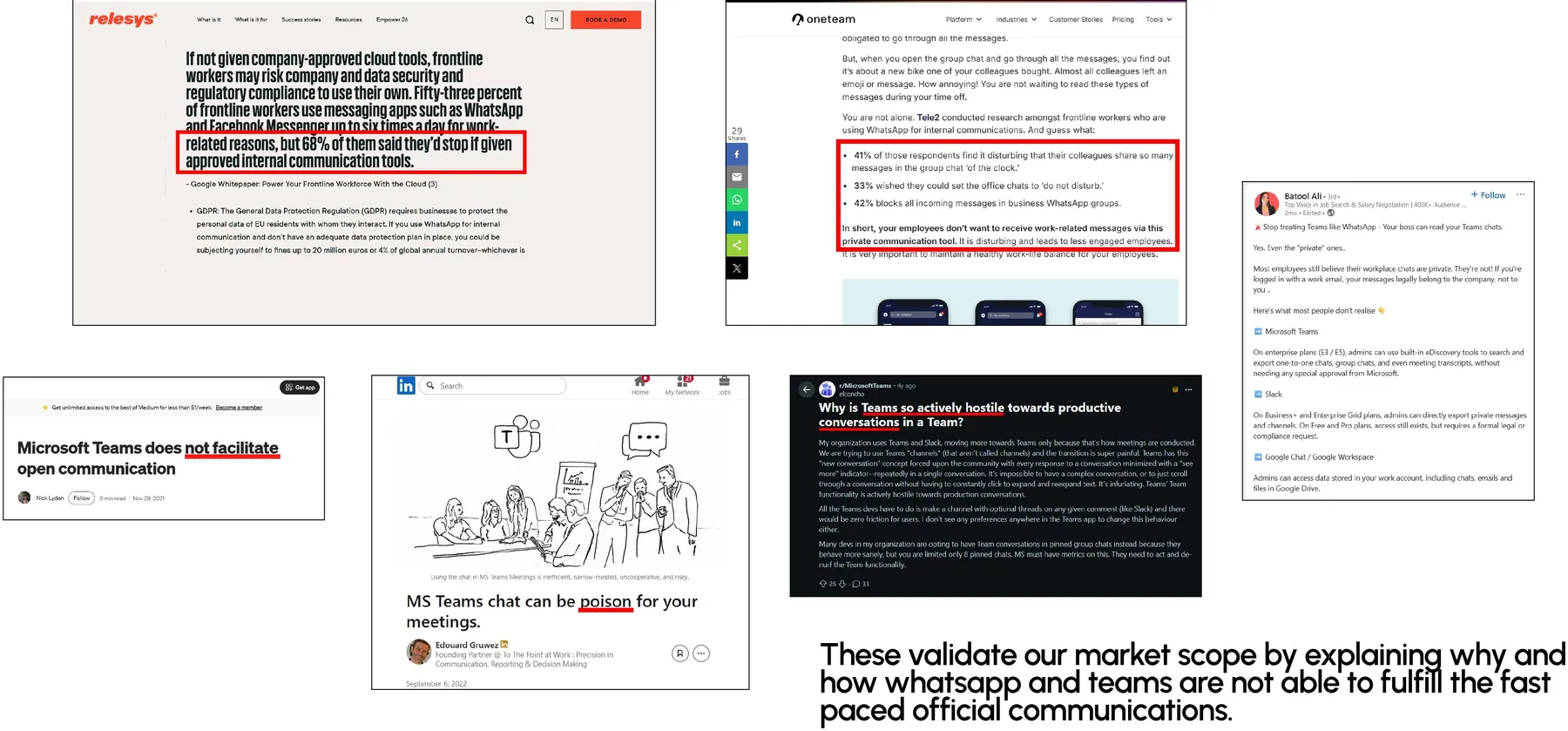
The articles agreed
Articles explained why neither WhatsApp nor Teams can support fast-paced official communication, which validated our market scope.
Finding the gap
Fast or clear. Never both.
WhatsAppFast, but messy
The gap
TeamsStructured, but slow
No app offers speed + clarity together
Opportunity for ArattaiFast like WhatsApp. Clear like Teams.
Primary research
In-depth interviews
To find out the exact problems, behaviours and touchpoints with current apps, I ran in-depth interviews. A few of the questions I asked:
Can you walk me through a recent conversation where a lot was happening at once?
When you receive something important on chat, what do you usually do with it?
Can you tell me about a time you accidentally forgot or missed something that came through chat?
What we heard
Insights
“WhatsApp has its setbacks, but it’s a lot faster.”
01People use chat apps like WhatsApp to manage tasks, even though they’re not built for it.
02Work is assigned in chat, then has to be remembered mentally.
03Important messages don’t disappear, they get buried under newer ones.
04There’s no support for “I’ll do this later”. If it isn’t acted on right away, it’s forgotten.
05Following up is manual and sometimes uncomfortable.
06Users build their own systems: starred messages, screenshots, notes outside the chat.
07Teams and Slack feel organised but slow. WhatsApp is fast but gets messy with many people.
The shortlisted Tasks
We identified two tasks users engage with most often and made them central to the experience, so the product prioritises speed, clarity and ease of access where it matters most.
Instant messaging
Send messages that can be instantly converted into actions, and clearly signal urgency, ownership and expected outcomes.
Personal notes
A central space for tasks, documents and media from your chats, so everything is easy to revisit, organise and update without scrolling back.
From insight to rule
Guidelines
We turned the insights into a few principles: broad enough to leave room for ideas, specific enough to judge them against.
1
Keep work inside the chat
People already run their work through chat. Let them act on a message where it lands, not in a separate tool.
2
Turn talk into commitments
Any message should be able to become something owned, dated and trackable, in a single step.
3
Let the app remember, not the user
Follow-ups, reminders and status should be carried by the system, not by memory or awkward nudges.
4
Make what matters stand out
Important information should be visible at a glance, without adding more notifications to the pile.
5
Speed first, structure second
Structure should never cost more than a tap. If it slows down a quick reply, it isn’t worth it.
6
Build on habits people already have
Stars, screenshots and self-chats are signals of need. Design with those behaviours, not against them.
7
Open the door to people not on Arattai
The app is only useful if your contacts can take part. Make joining the network effortless.
8
Look and feel like its own product
Arattai should have an identity of its own, not read as a WhatsApp clone.
Phase 02
Strategy
Defining why Arattai exists by aligning user needs with business objectives.
Who we designed for
User personas
I built two personas from the work sectors we targeted: a founder and a product analyst.
Rohan Mehta, 34
Founder, 25-person digital marketing agency, Pune
Wants
Quick, reliable updates without chasing people
Tasks completed, not assumed done
Struggles
Decisions get buried in long chat threads
Constant follow-up creates mental fatigue
Needs
Clear view of pending, blocked and completed work
Passive status tracking
Aishwarya Nair, 27
Product Analyst juggling Teams, WhatsApp and Slack
Wants
Manage many small tasks without missing any
Less mental load from tracking chats
Struggles
Tasks scattered across platforms
Reminders lost in self-chat, stars and screenshots
Needs
Chats that become trackable tasks
Clear split between important and non-actionable
Mapping value
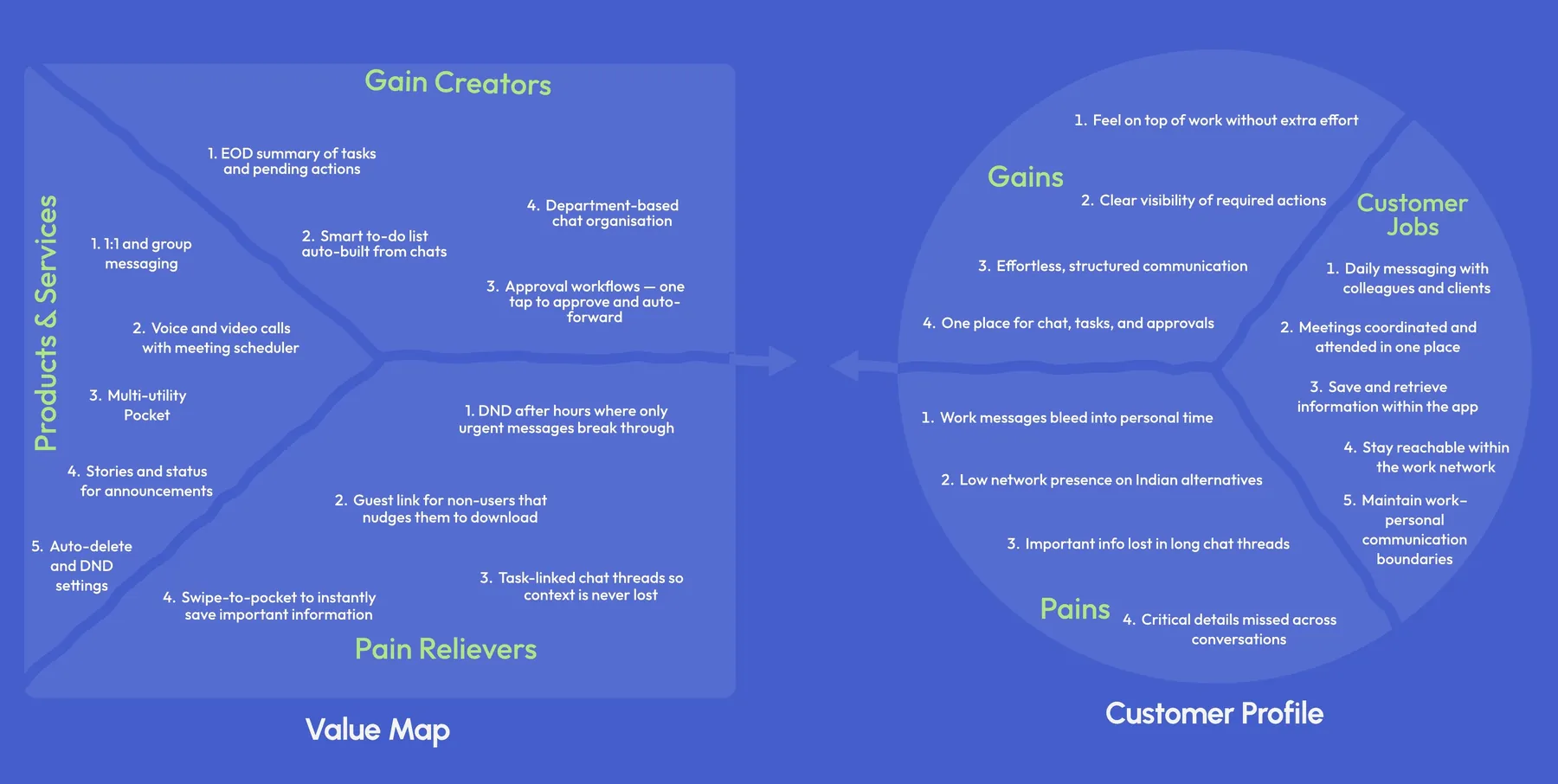
Value proposition canvas
We mapped our customers’ jobs, pains and gains against the products, pain relievers and gain creators Arattai could offer.
Tap an image to open it full size.
Phase 03
Scope
Assessing Arattai’s features against user needs and business goals, spotting gaps and misalignments.
Generating & sorting ideas
SCAMPER → Impact-effort
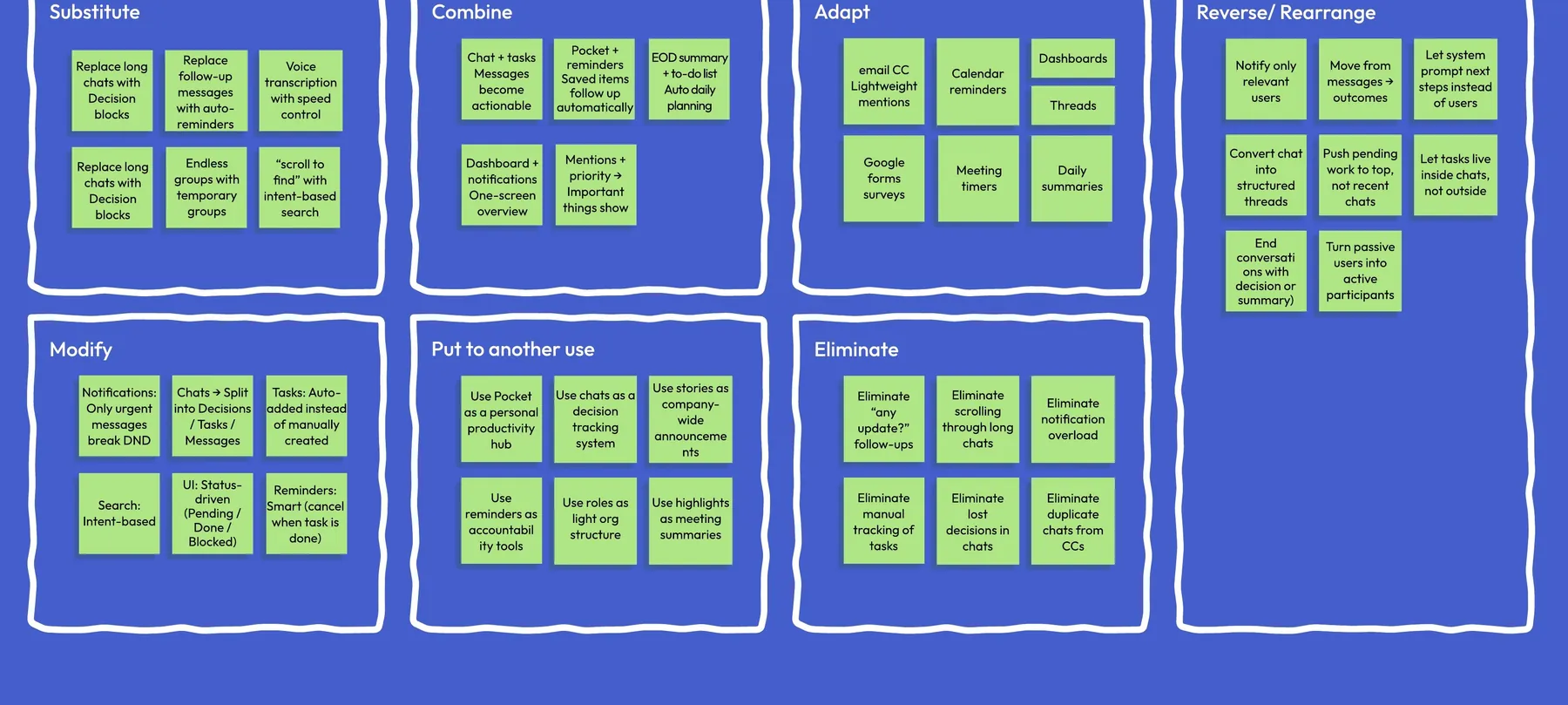
SCAMPER
Substitute, combine, adapt, modify, put to another use, eliminate and reverse: applied to Arattai’s existing features.
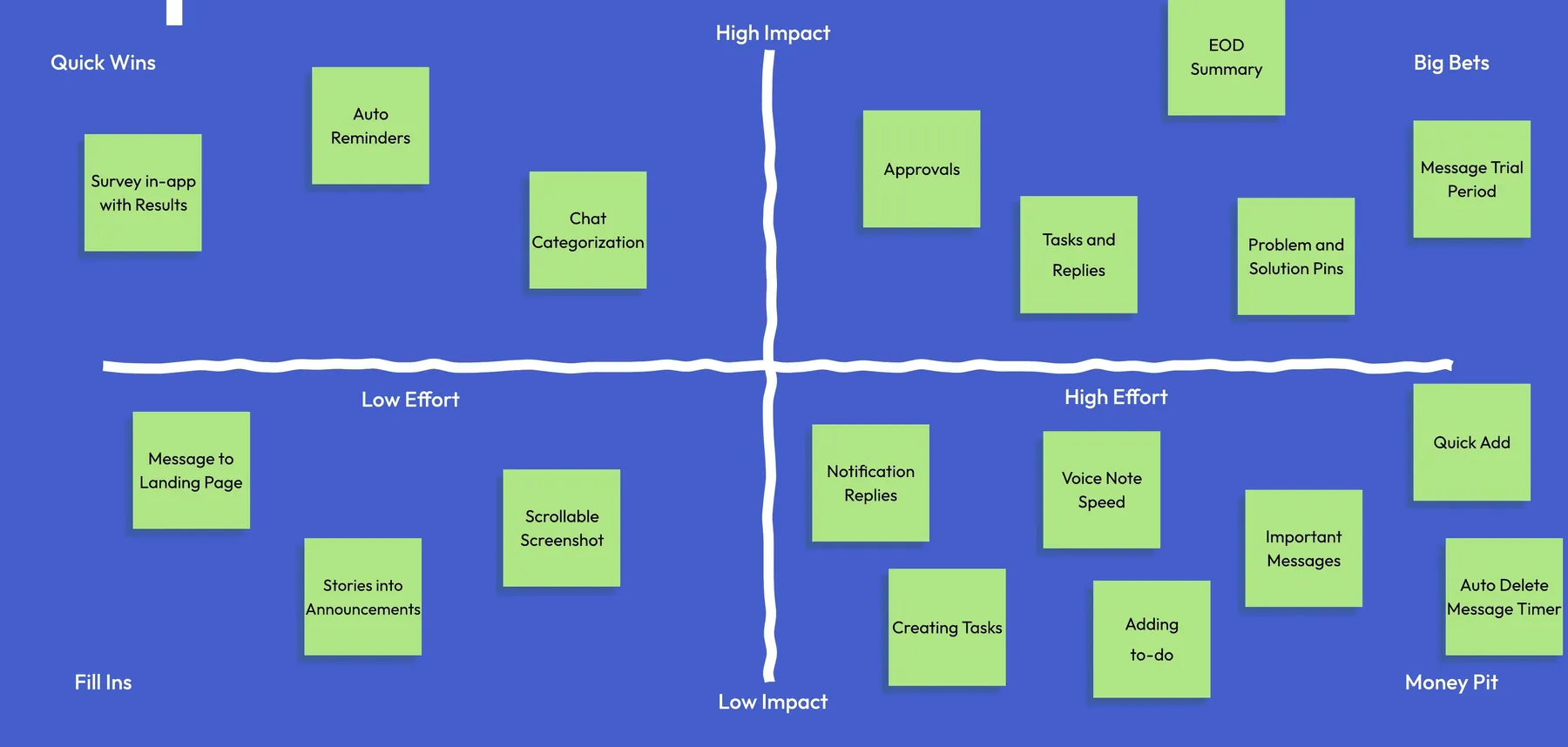
Impact-effort matrix
Every idea plotted by impact against effort, separating quick wins and big bets from money pits.
Competitive check
How we’d stand apart
We compared our proposed features against what WhatsApp, Teams and Slack already ship.
Feature
Arattai (proposed)
WhatsApp
Teams
Slack
Decision-centric communication
✓
✕
✕
✕
One-view priority dashboard
✓
✕
Limited
Limited
Reply without opening the chat
✓
✓
✓
✓
Built-in smart summaries
✓
Limited
✓
✓
Cross-content decision visibility
✓
✕
✕
Limited
In-chat profession indicator
✓
✕
✕
✕
Tasks and reminders from messages
✓
✕
✓
✓
Search voice notes
✓
✕
✕
✕
Arattai column = our proposal, not shipped features. Competitor columns corrected for features they already have: WhatsApp’s notification replies and AI message summaries (rolled out from June 2025), and task and reminder tools in Teams and Slack. WhatsApp also already has voice-note playback speed and disappearing messages, so ideas 05 and 07 below are about keeping up, not standing apart.
User voting
We asked about 7 people to vote on the features and shortlisted the ones with the most votes.
What made the cut
Selected ideas
Each shortlisted idea was sketched as a quick flow. How I’d measure whether they work is at the end.
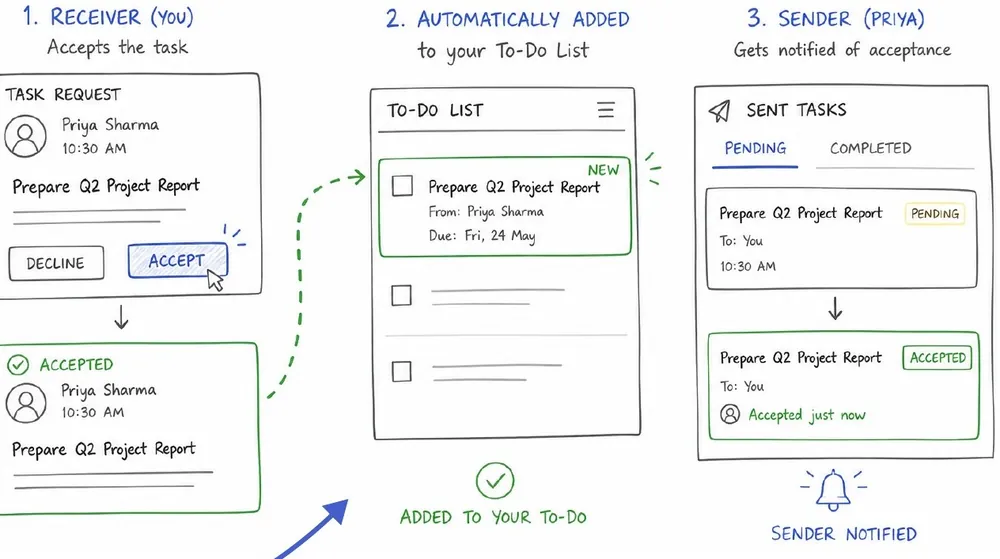
01–03Messages become tasks
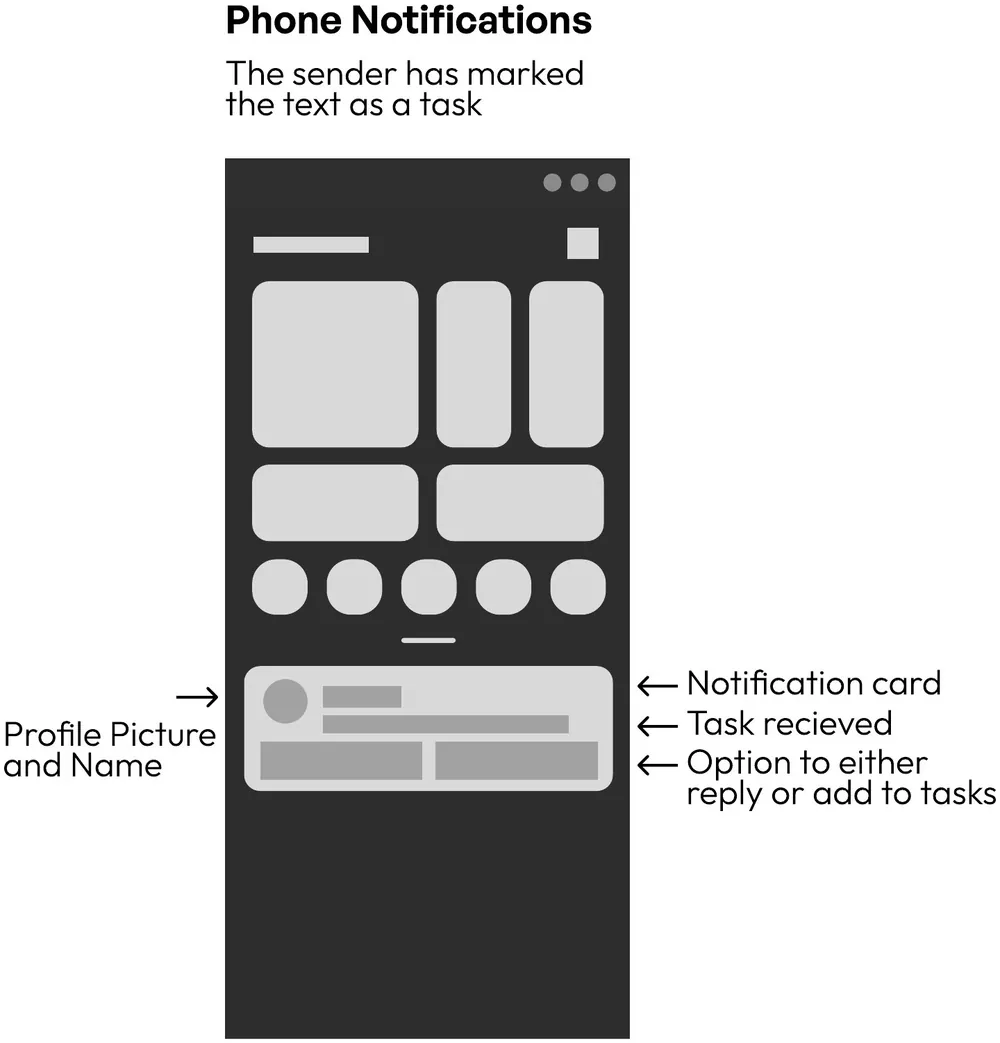
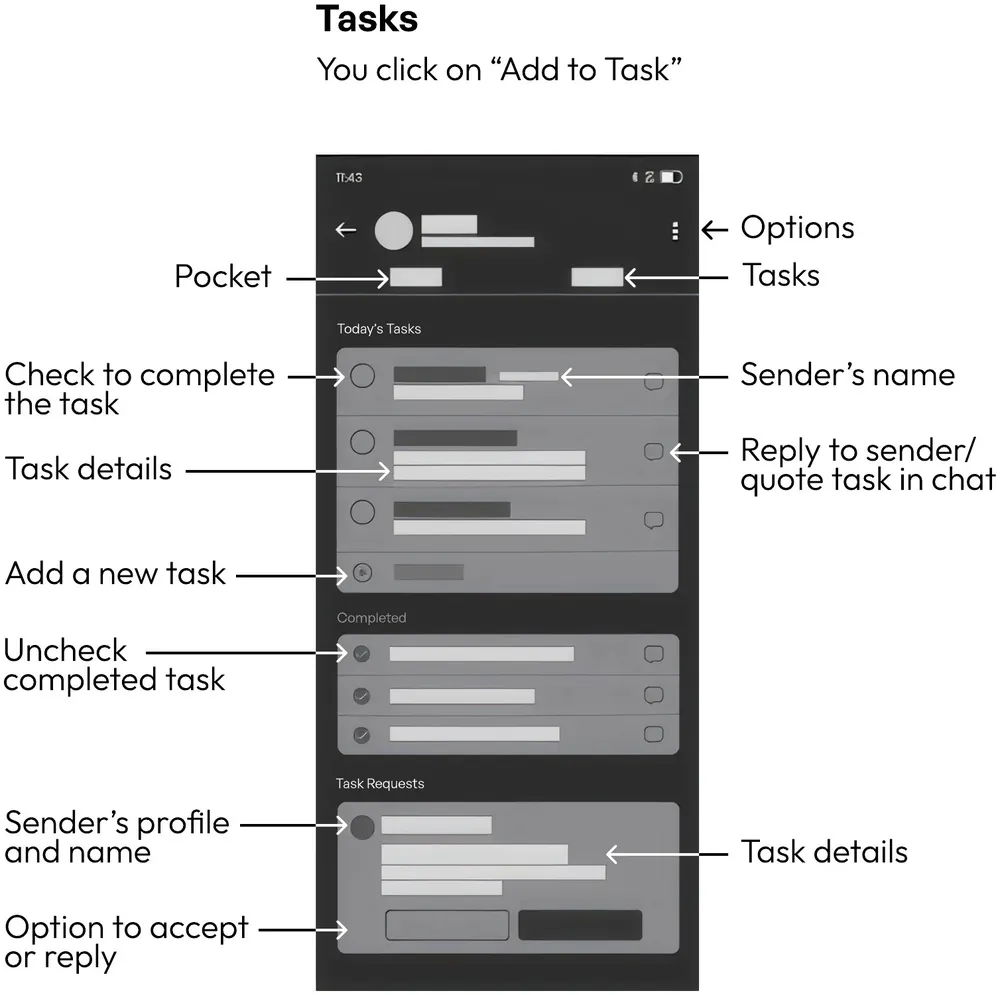
Convert a message into a task and act on it from the notification. Once accepted, it lands in your to-do list and the sender is notified.
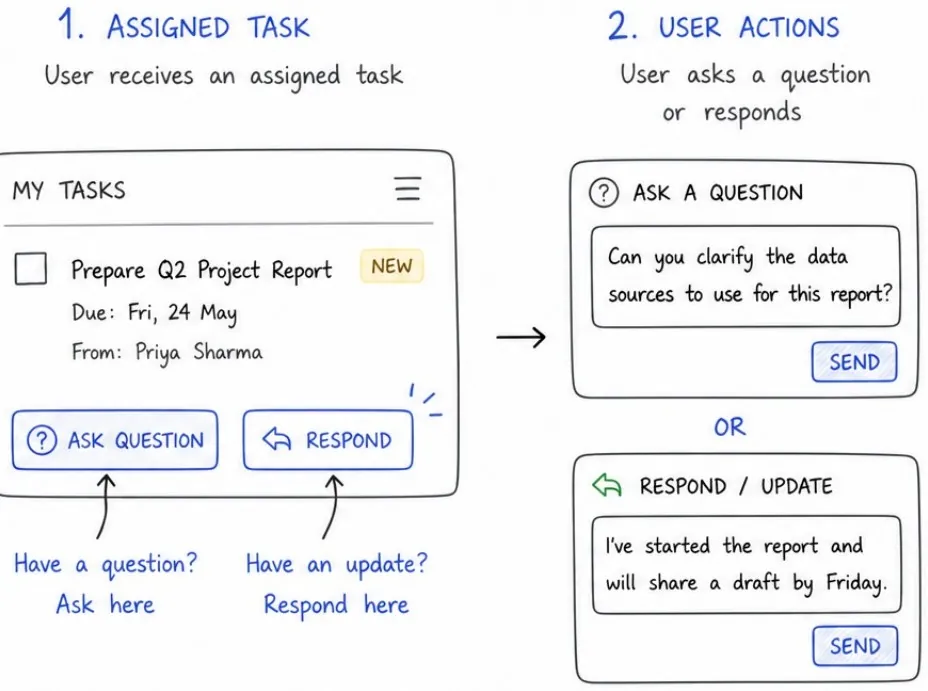
04Ask or update inside a task
Ask questions or respond directly on an assigned task.
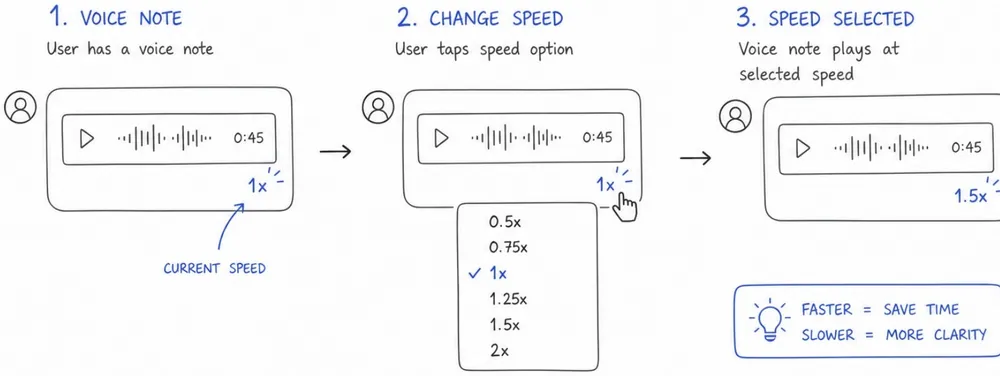
05Voice-note playback speedParity
Play voice notes at different speeds.
06Swipe to save
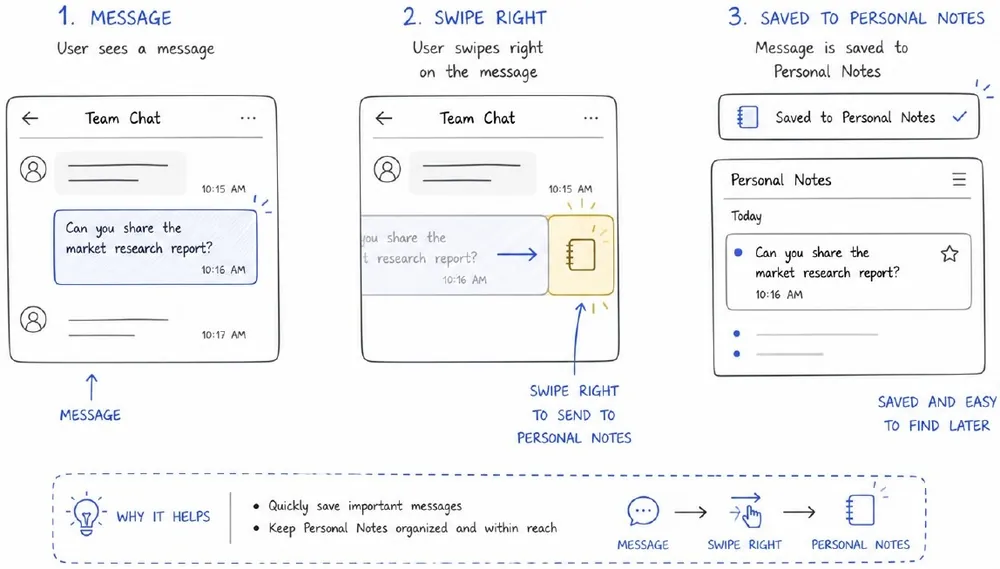
Swipe right to send a message to Personal Notes; tick the box to make it a task.
07Auto-delete timersParity
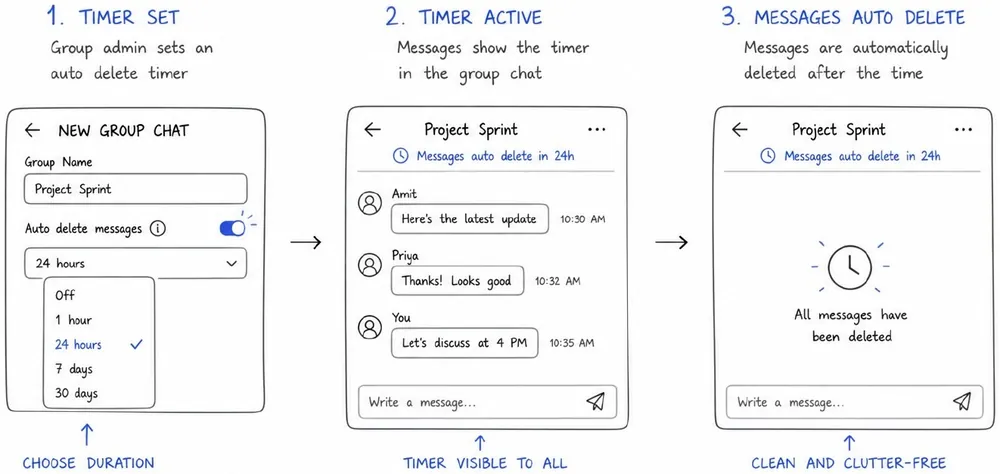
Group chats can auto-delete messages, or the whole chat, after a set time.
08Mark as important
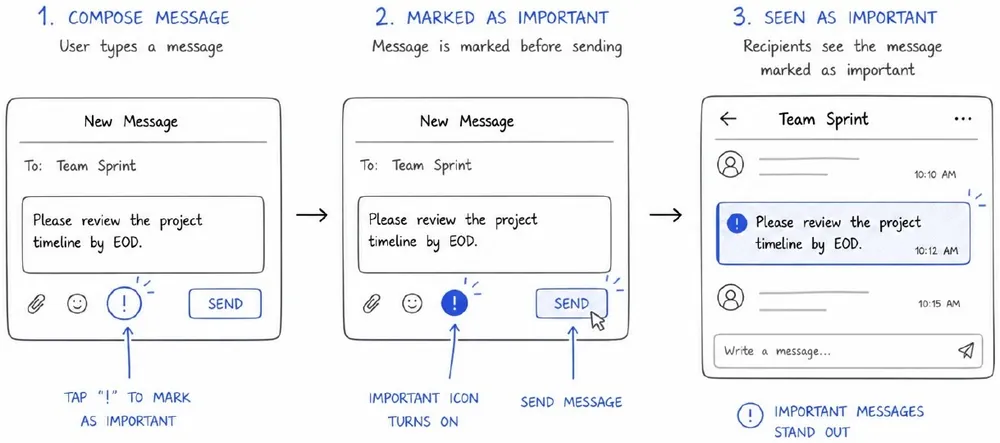
Flag a message as important before sending it.
09Role in the chat header
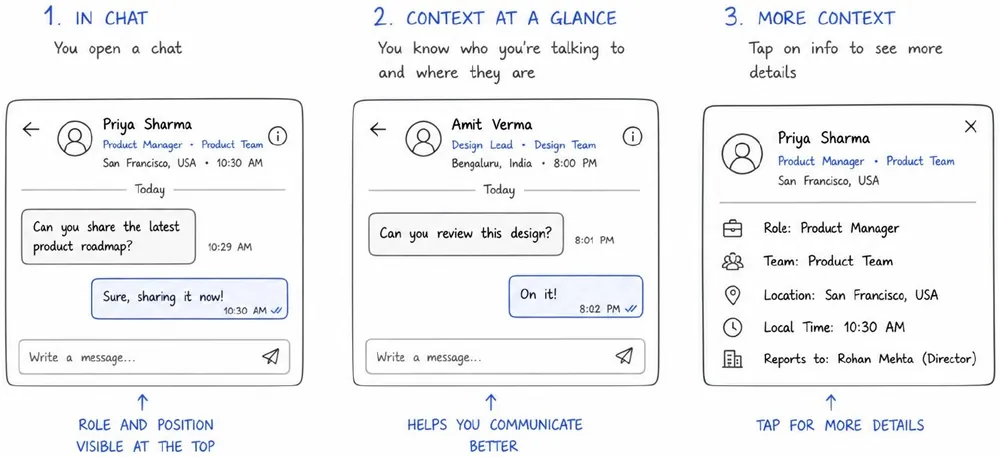
See the role and position of the person you’re texting.
10End-of-day summary
A daily summary of pending, completed and awaiting-response tasks.
11Guest link
A person who isn’t on Arattai gets a link to a temporary view of the chat in their browser, with a clear call to join.
What didn’t make it
Ideas we cut, and why
These sat in the quick-win corner of the impact-effort matrix, but didn’t make the shortlist.
Quick winChat categorisationCut to reduce complexity. Sorting chats into categories adds another layer to learn, when the goal was a chat app that stays as fast and simple as WhatsApp.
Quick winIn-app survey with resultsCut because it serves Zoho more than the user. A survey inside a fast-moving chat is one more interruption, and feedback can be gathered outside the core flow.
Phase 04
Structure
Defining how users navigate Arattai, and how its features are organised for a smooth, intuitive flow.
Step by step
Task & user flows
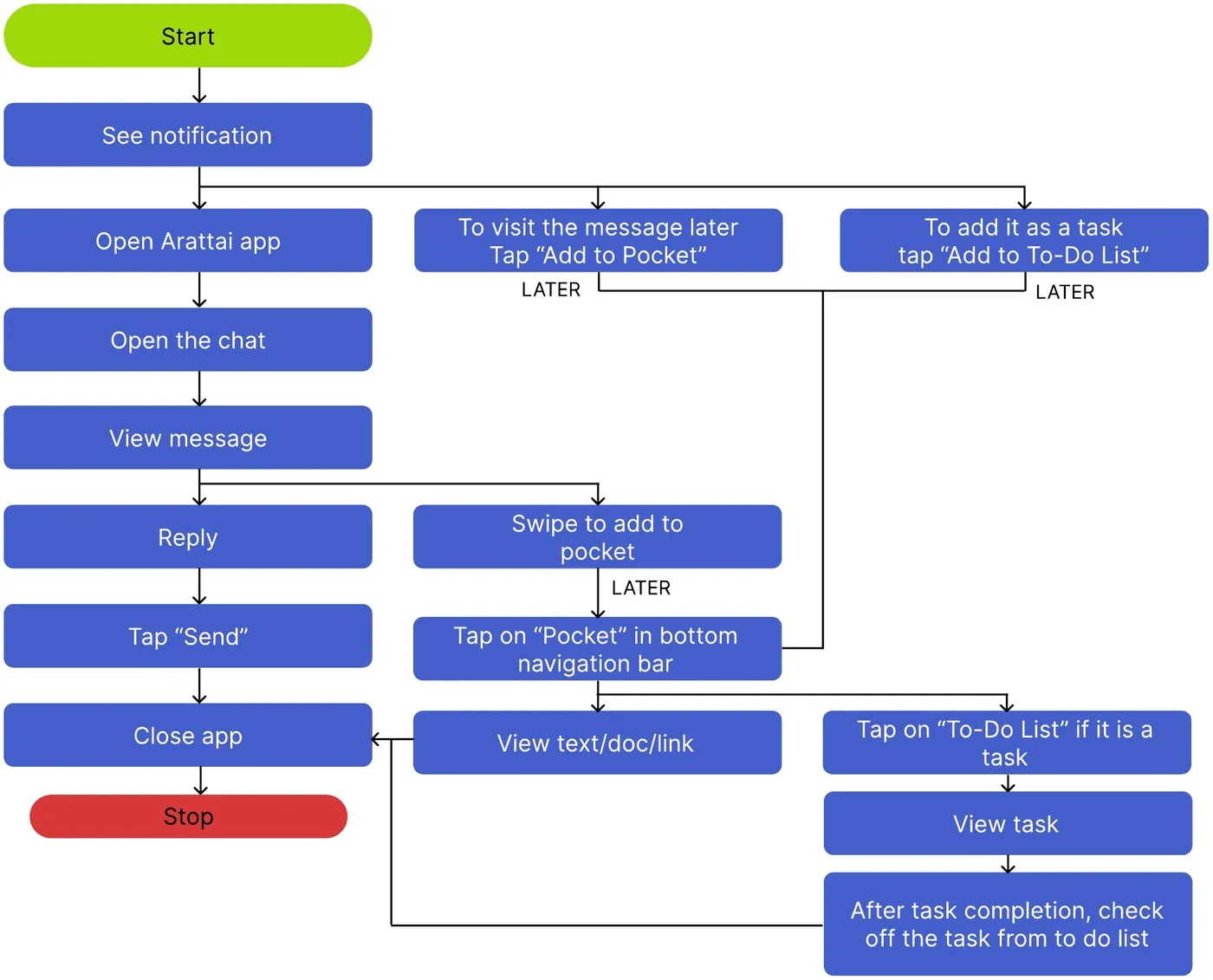
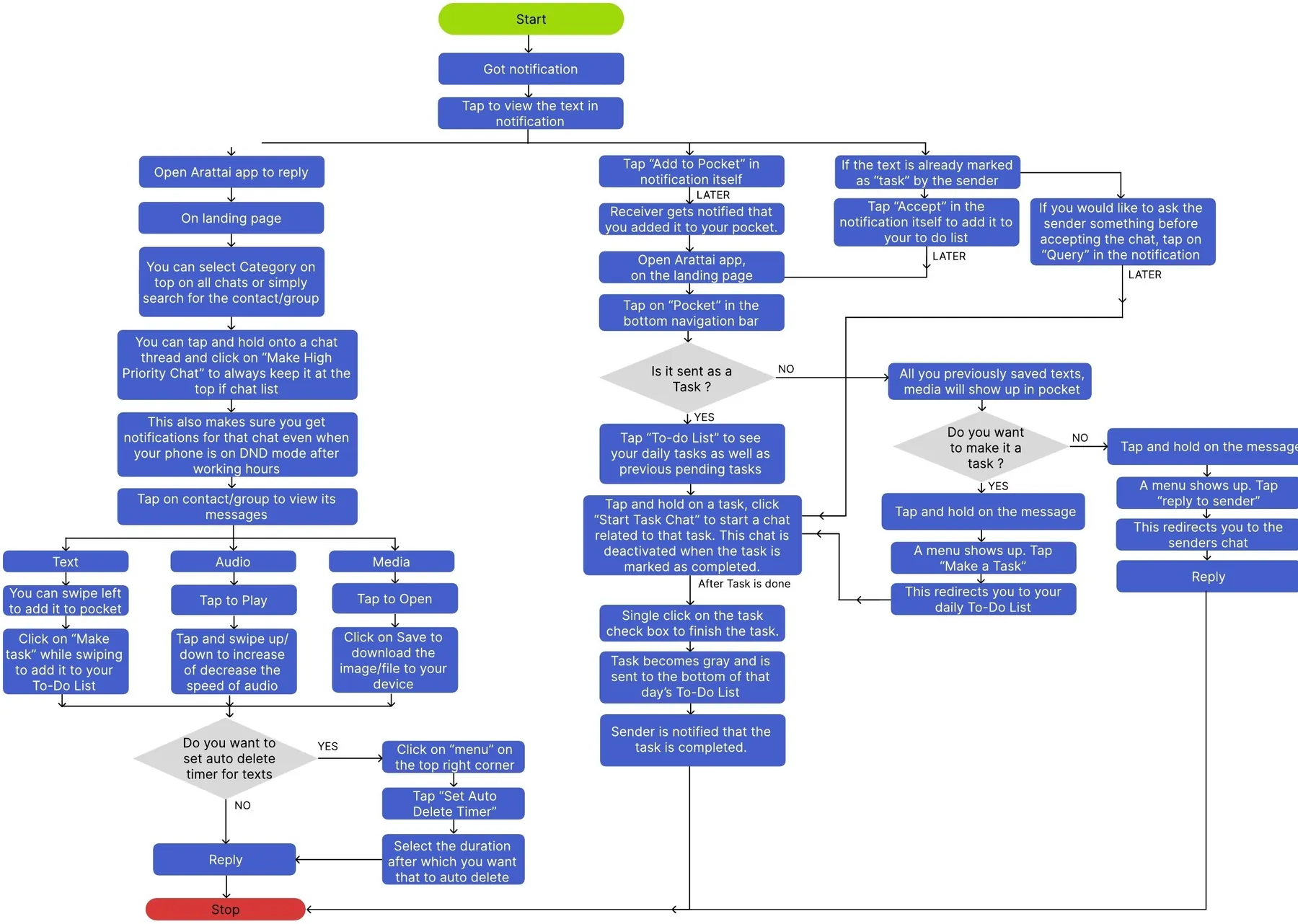
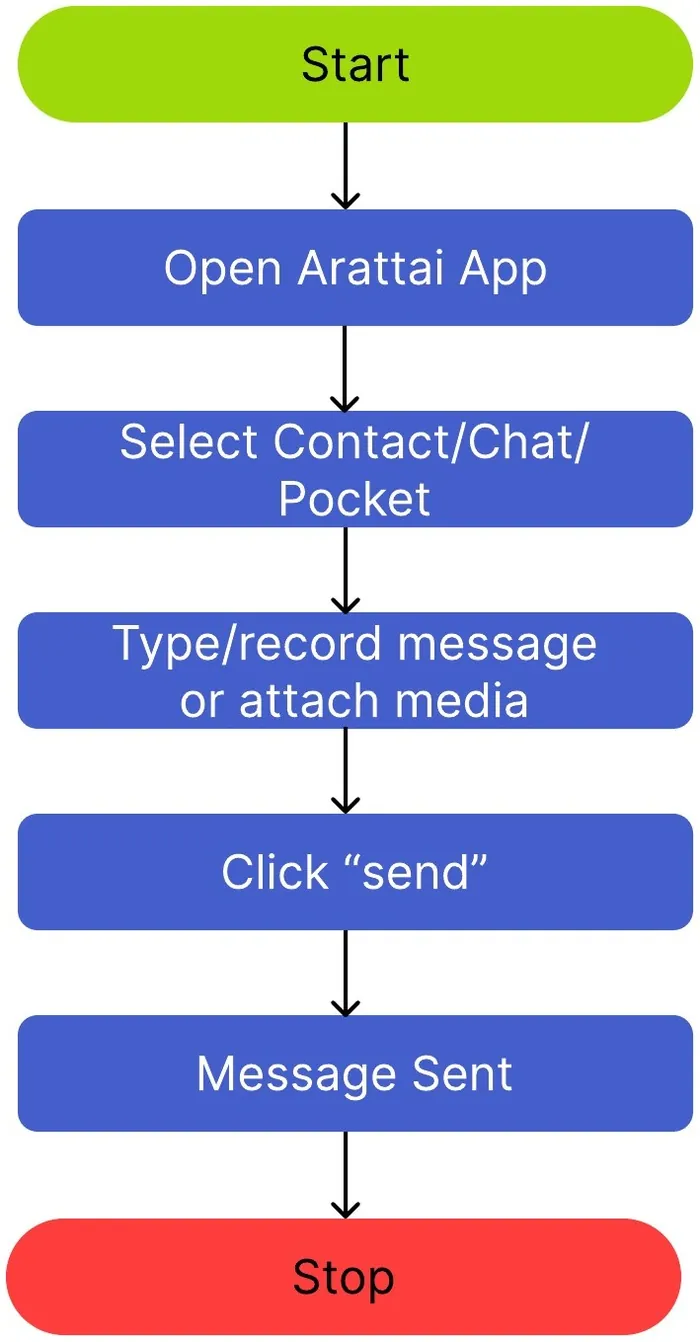
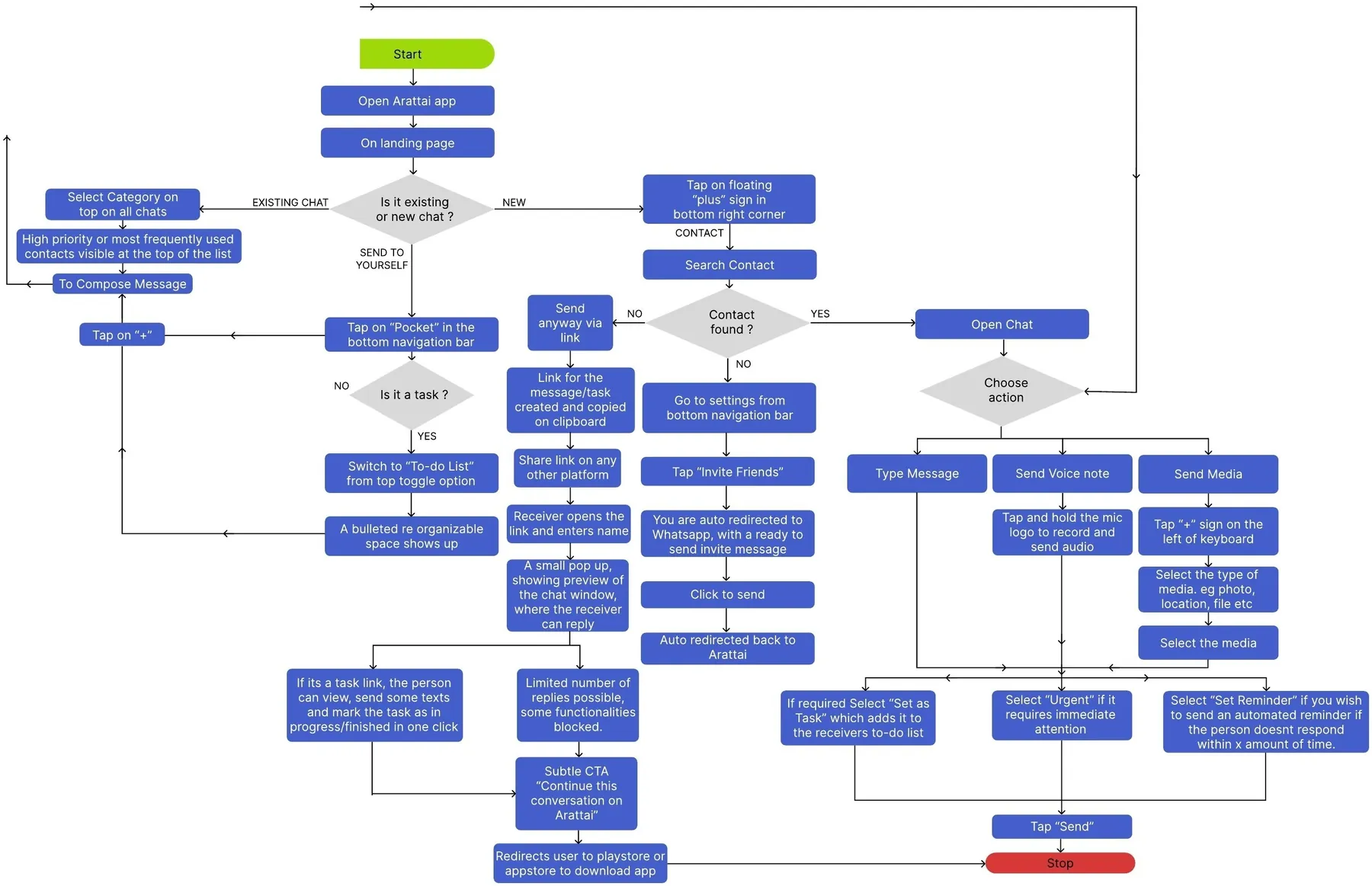
I mapped how people receive and send messages, tasks and notes, including every decision point.
StartStopDecisionStep
Task flow Receiving
User flow Receiving
Task flow Sending
User flow Sending
Hierarchy
Information architecture
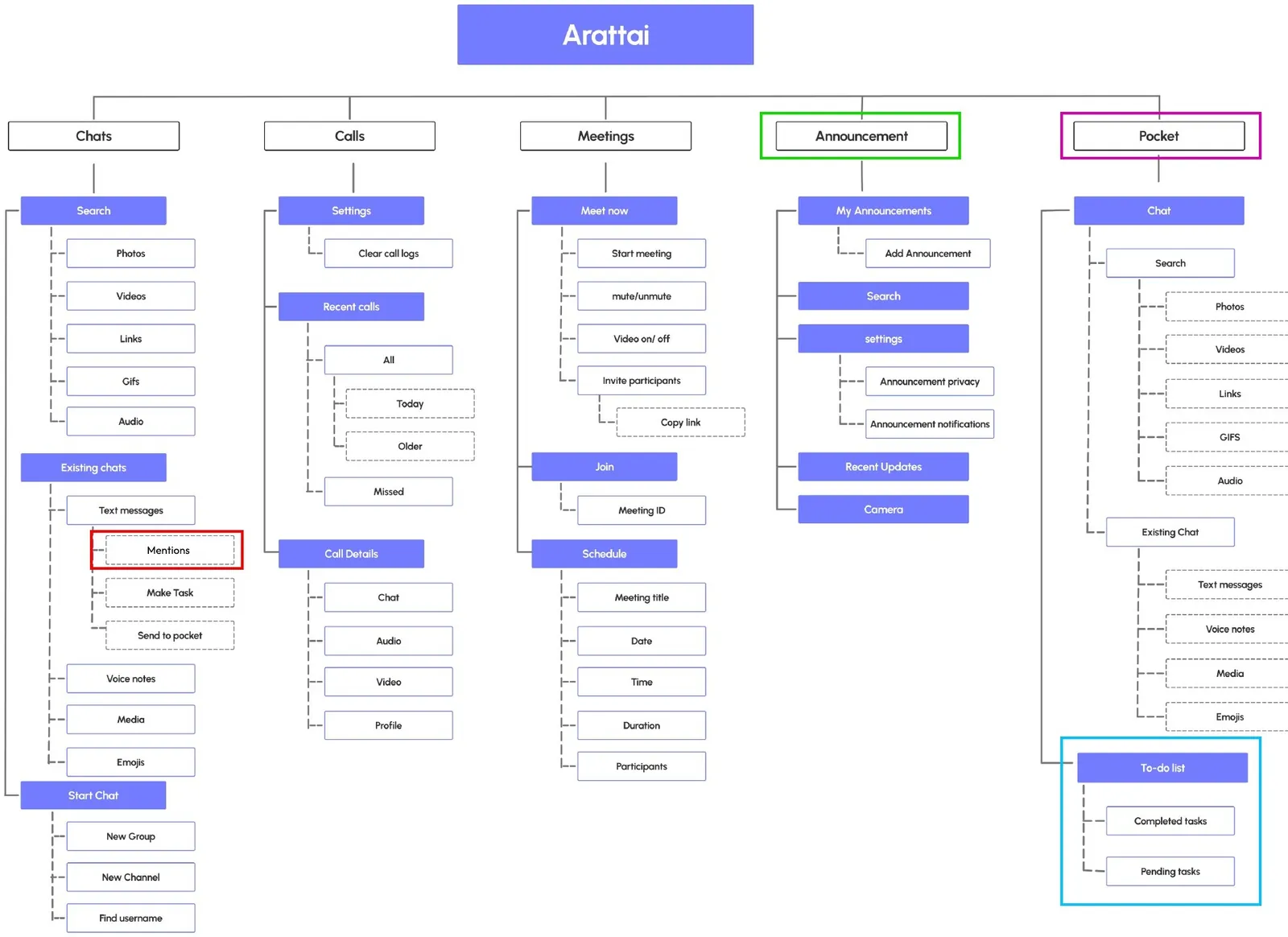
We mapped the new hierarchy of information to simplify a complex system and make the user journey easy to visualise in the wireframes.
What changed
Mentions tab moved inside text messages
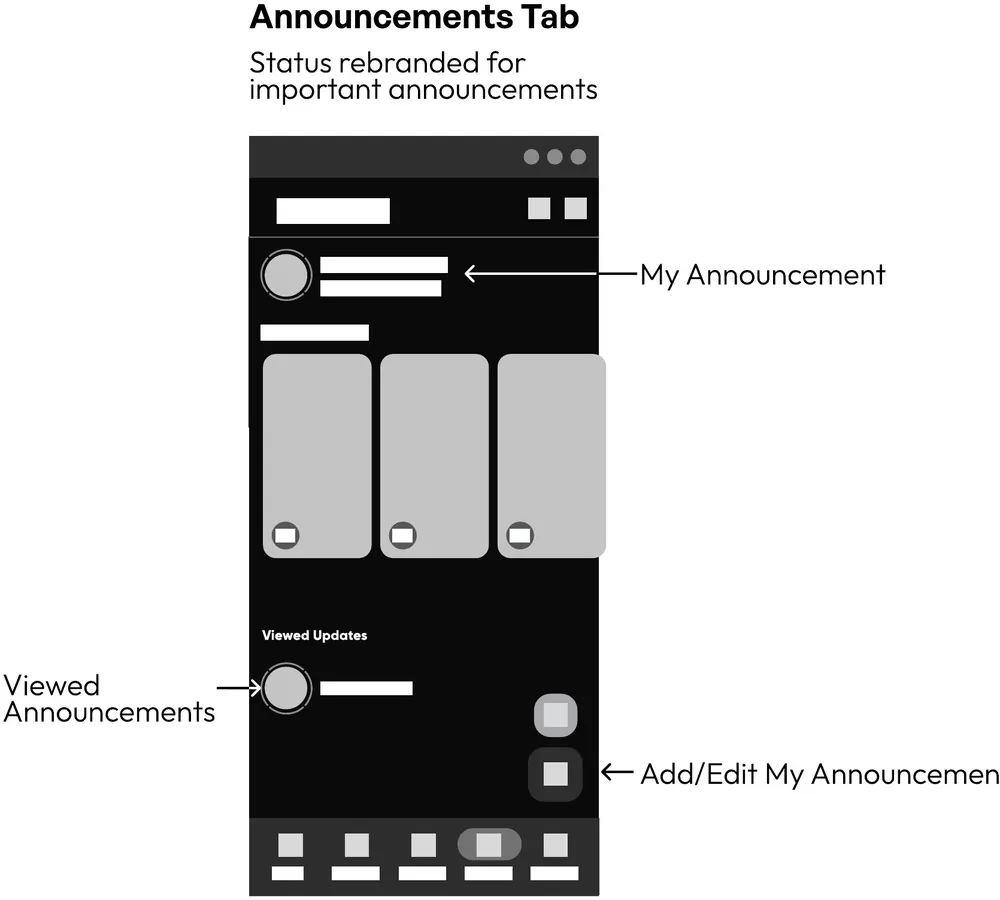
‘Stories’ became Announcements
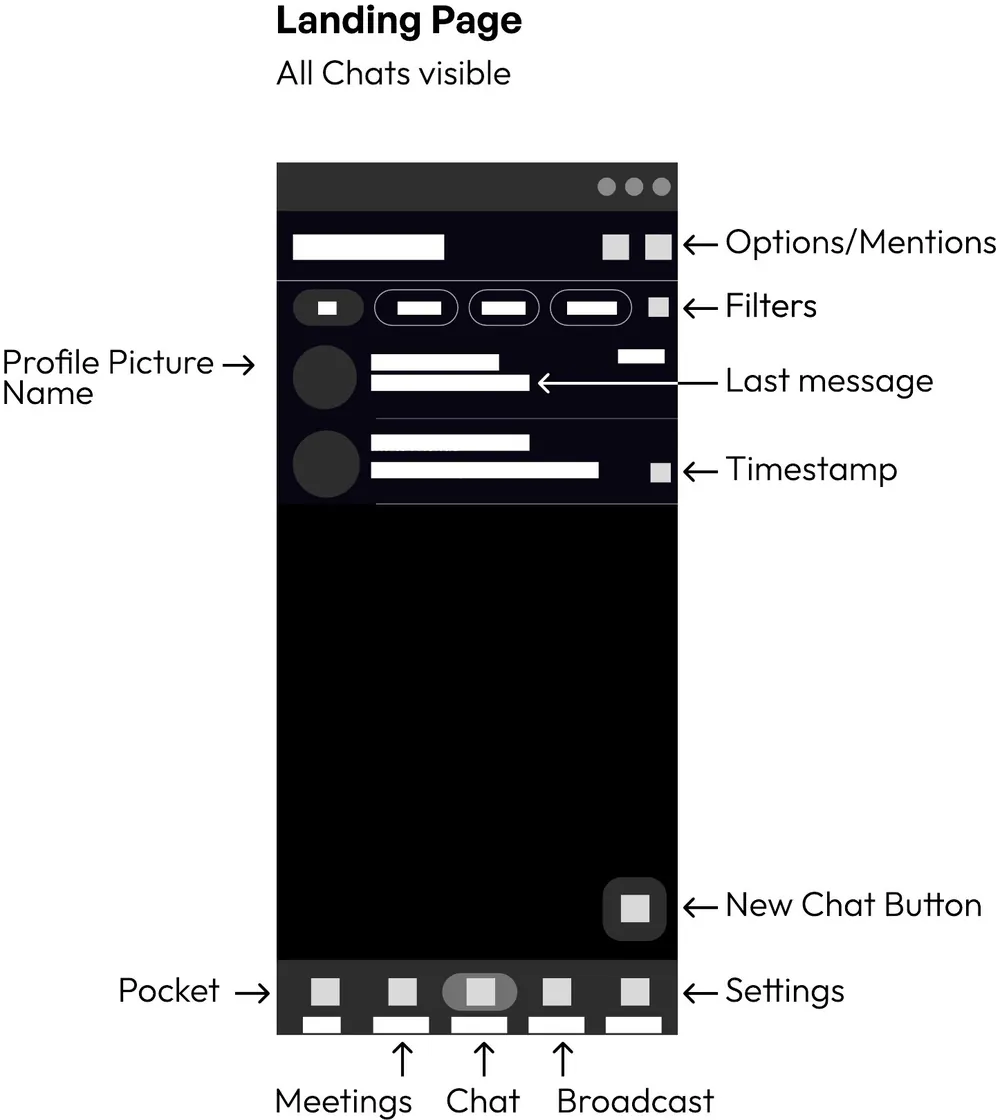
Pocket added to the bottom bar on the landing page
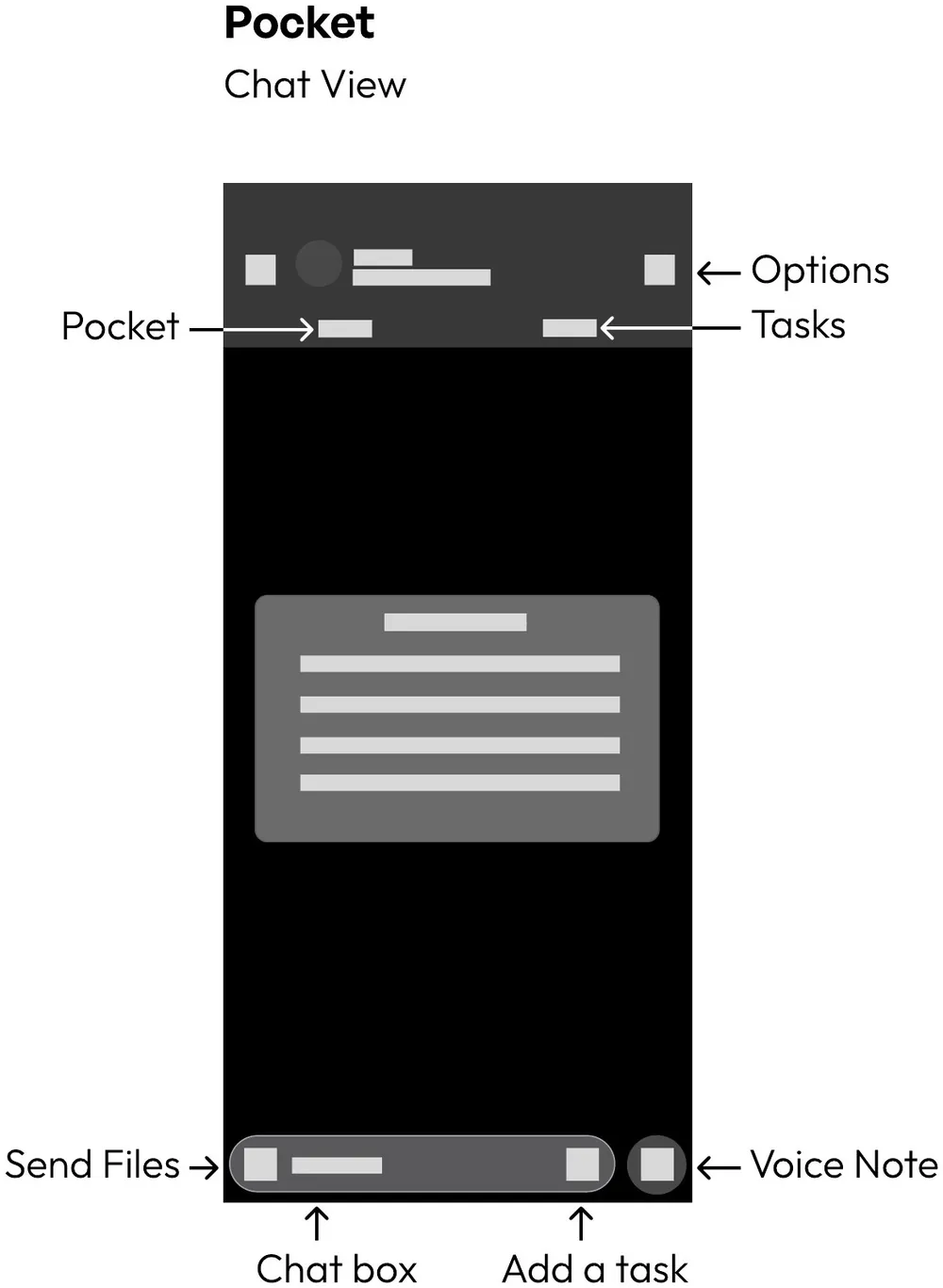
Pocket split into Chat and To-do list
Phase 05
Skeleton
Defining placement, hierarchy and interaction of interface elements, so users can complete tasks efficiently.
Wireframes
Low fidelity
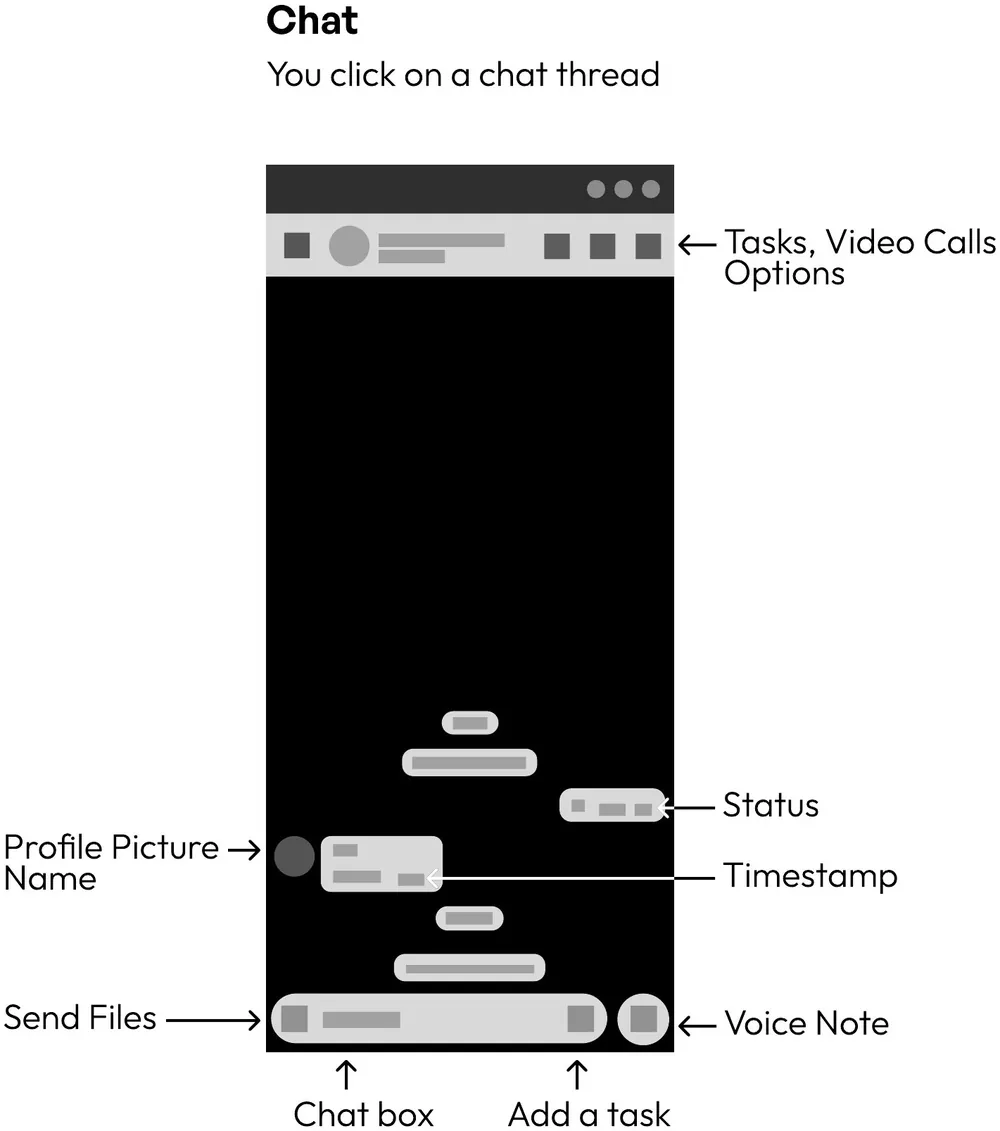
Annotated wireframes of the key screens, showing where each new feature lives before any visual design.
Phase 06
Surface
Defining Arattai’s visual language through colour, typography, icons and styling, for a clear, cohesive and trustworthy experience.
Visual language
Style guide
Logo
Colours
#5341CB#1A1440#FFFFFF#A7A8AC#59595B#080613
Typography
Headings & subheadingsGilroyExtrabold · Semibold
BodyGeneral SansLight · Regular · Semibold, plus italics
High fidelity
Final screens
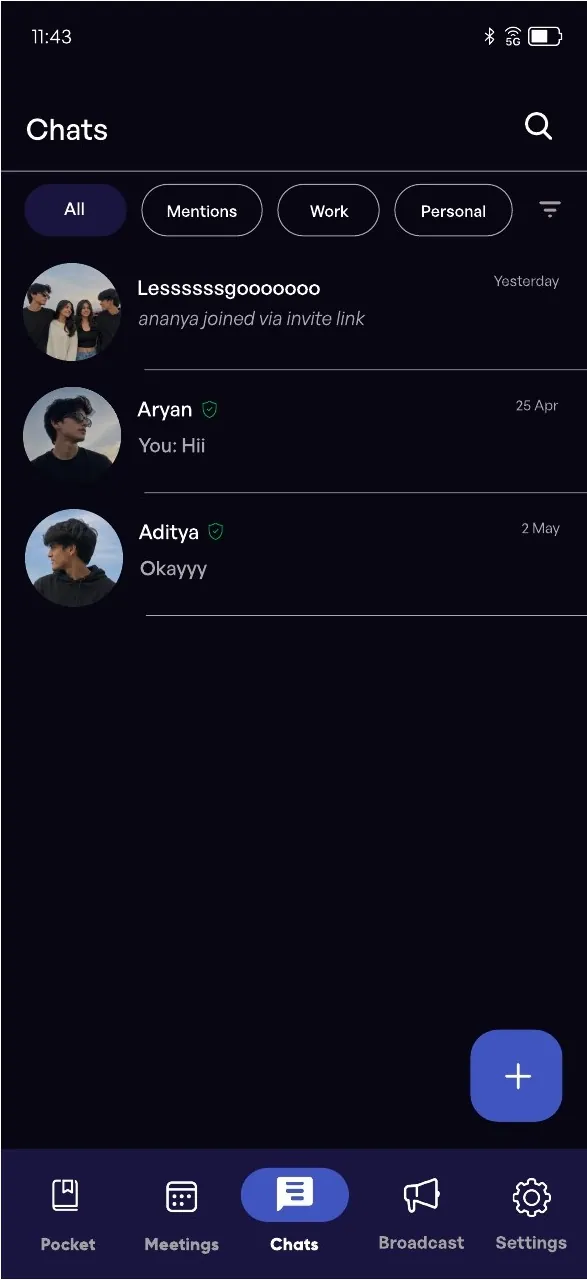
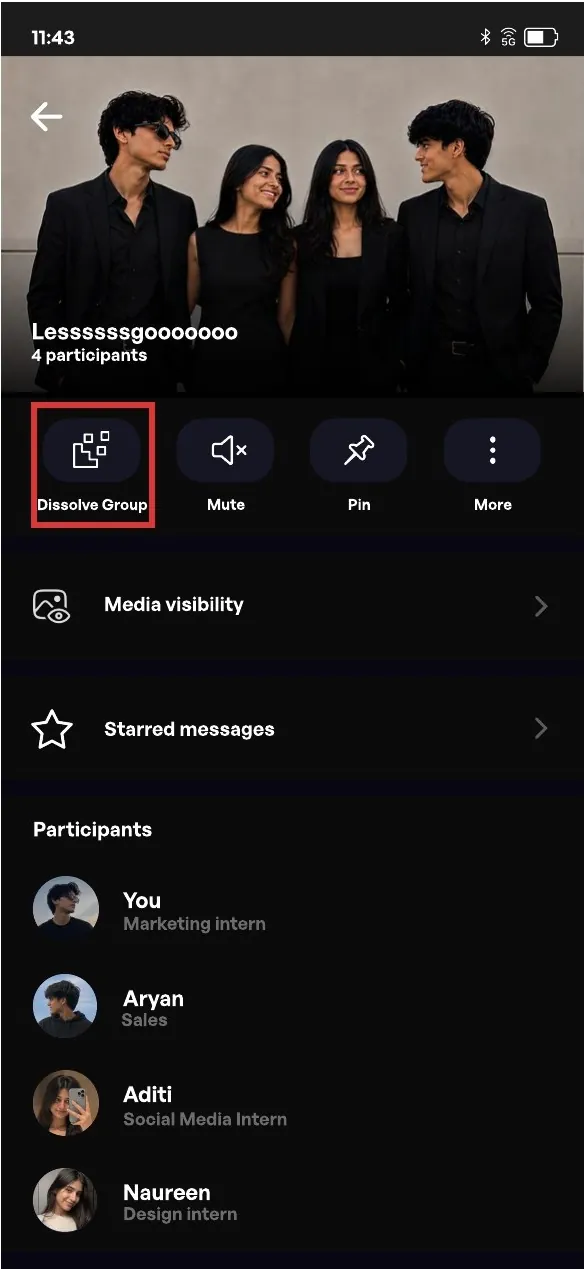
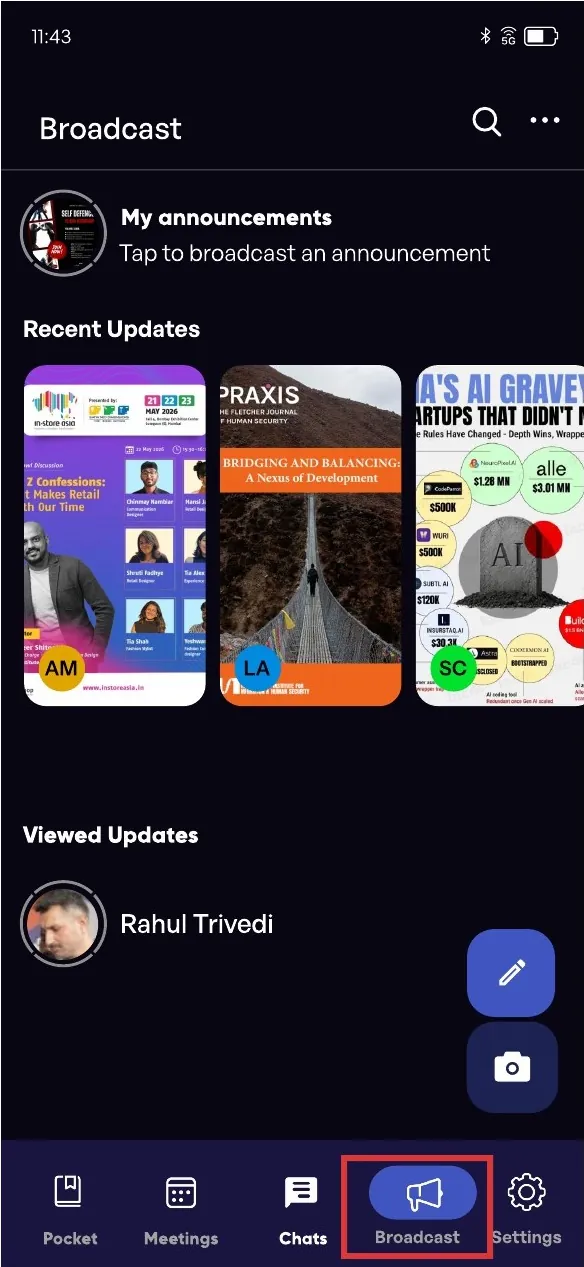
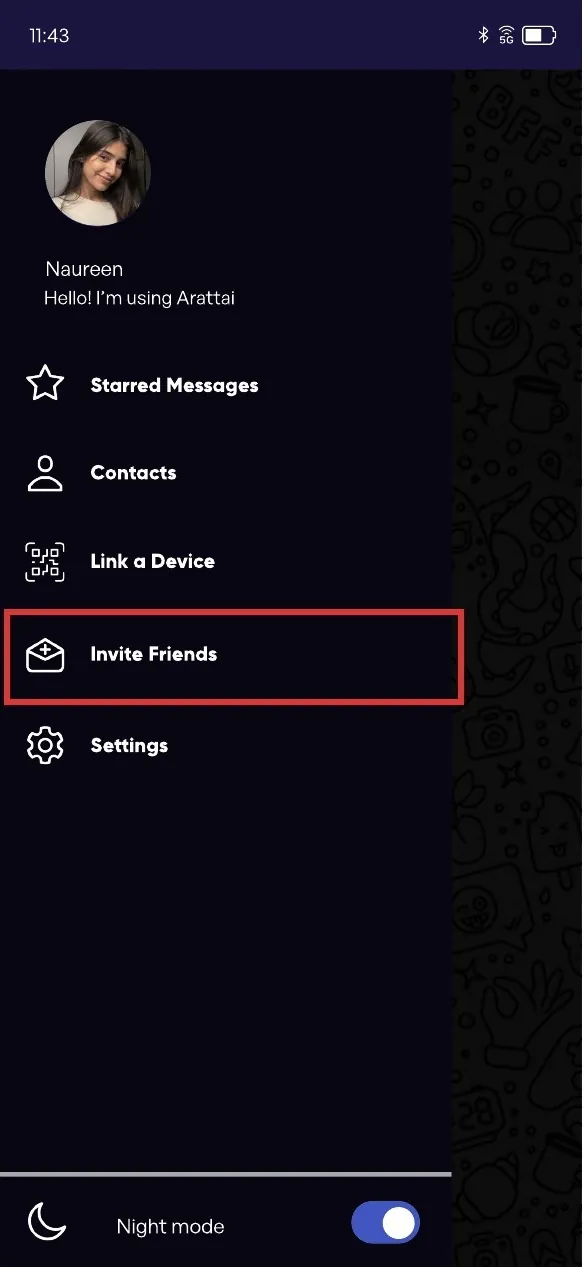
I designed the UI. The screens behind the two solutions are shown above; these are the rest of the product.
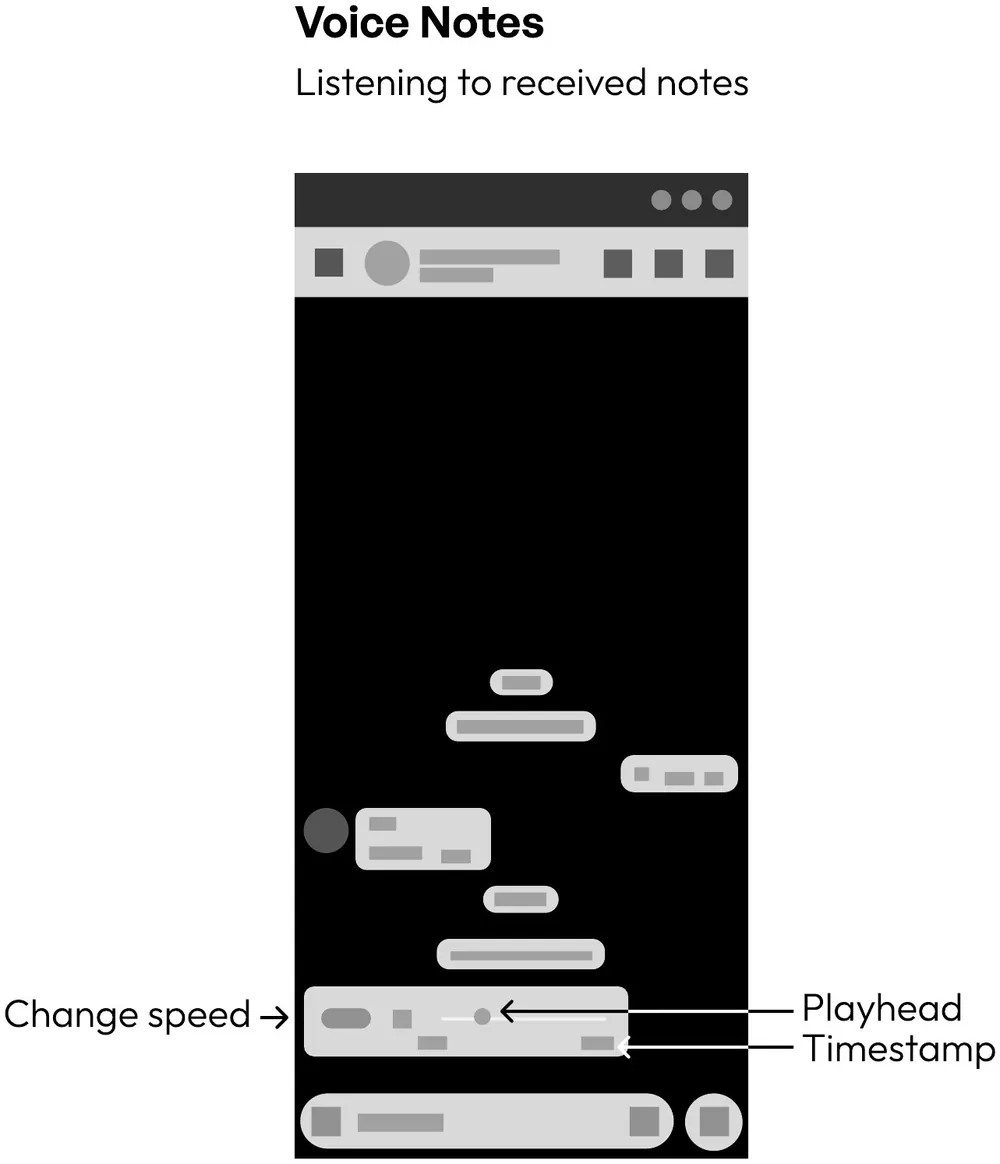
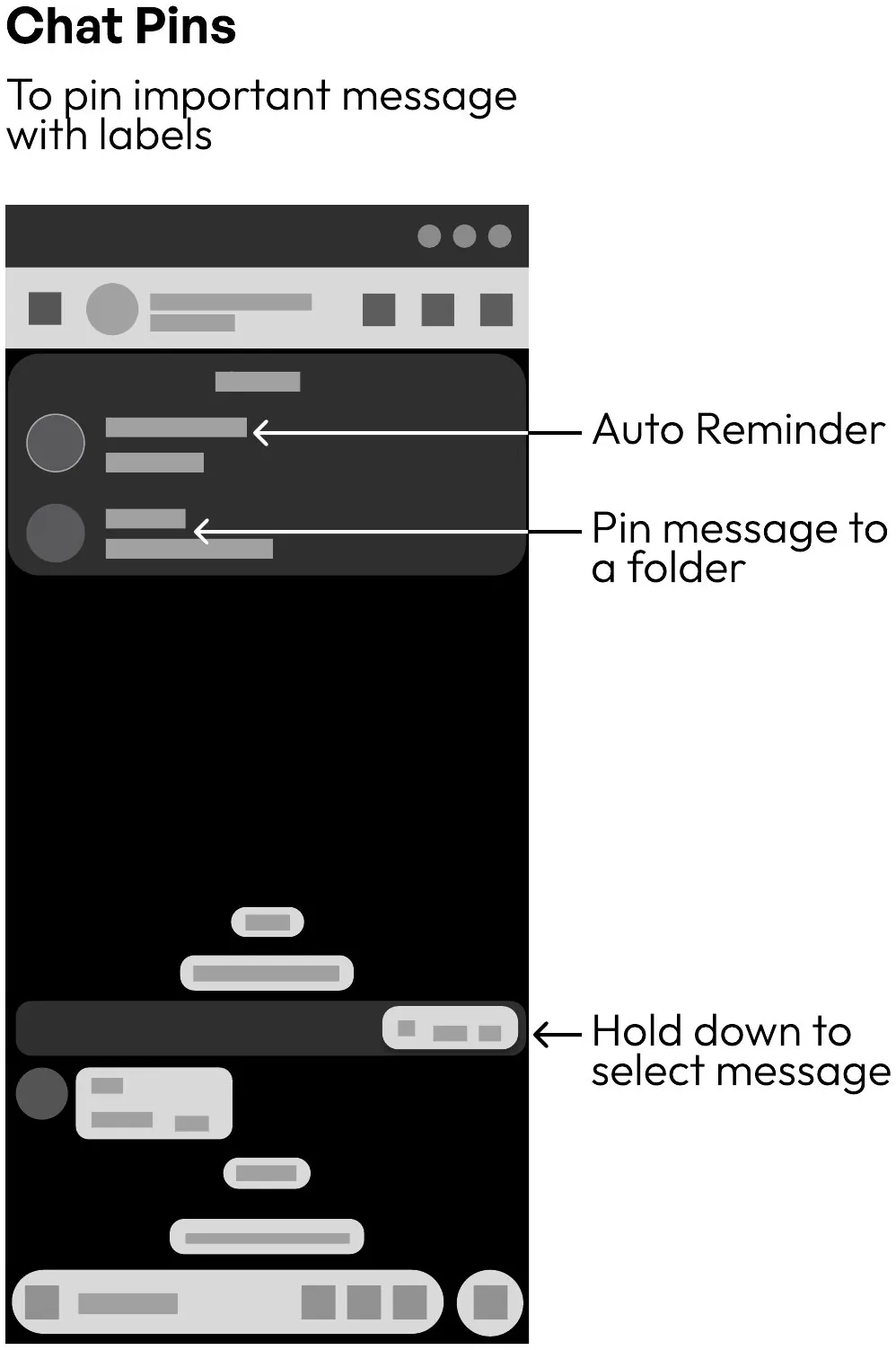
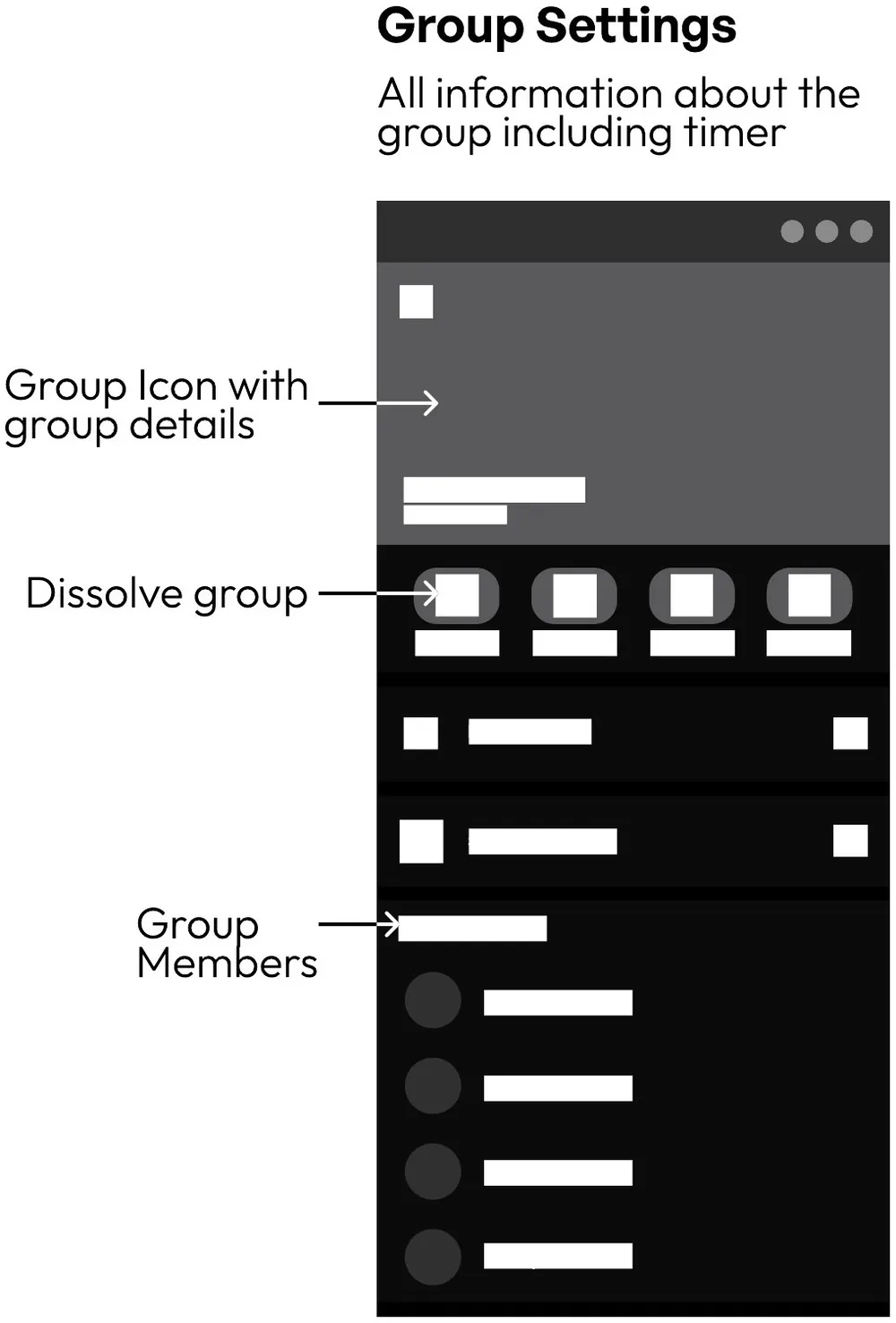
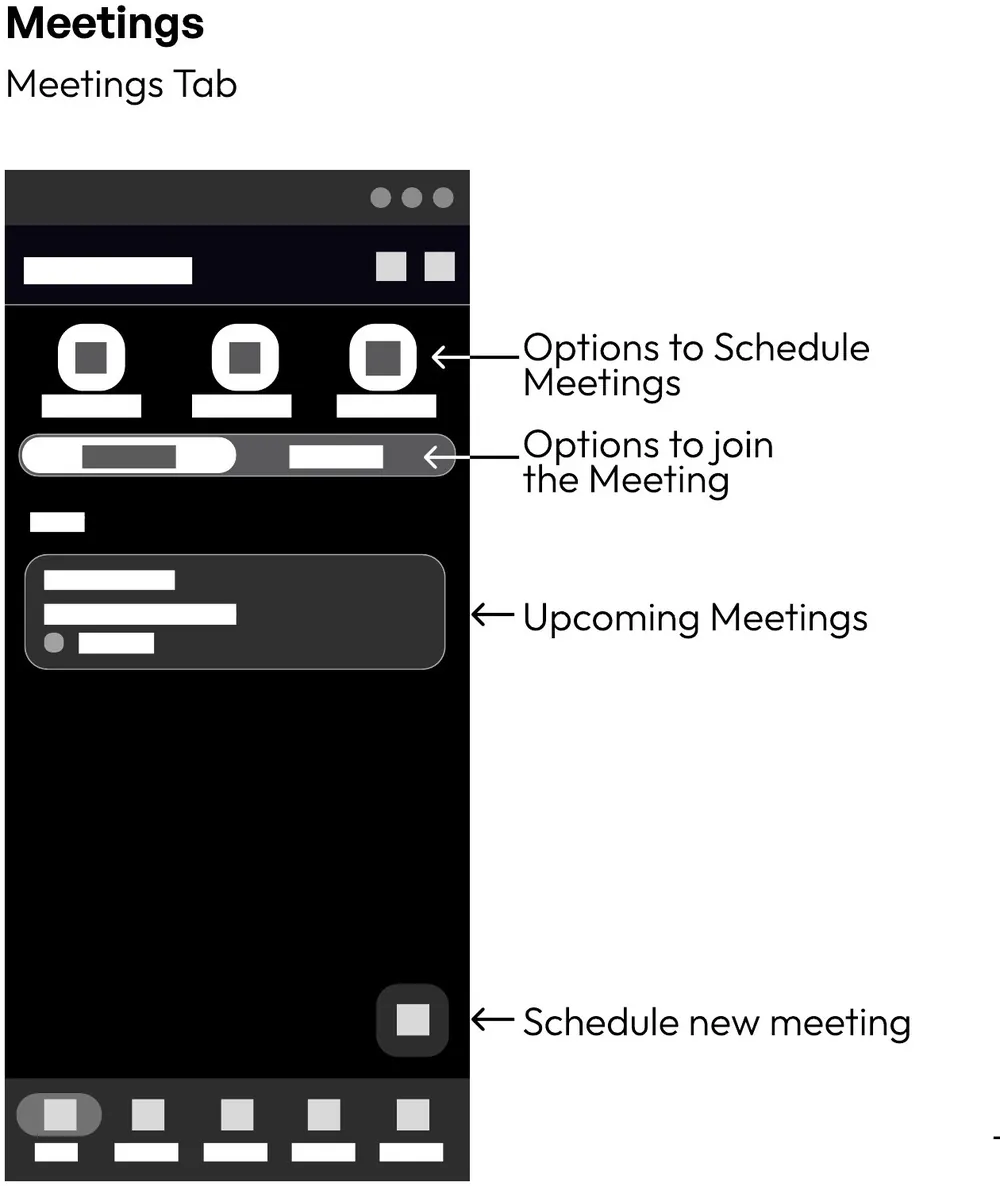
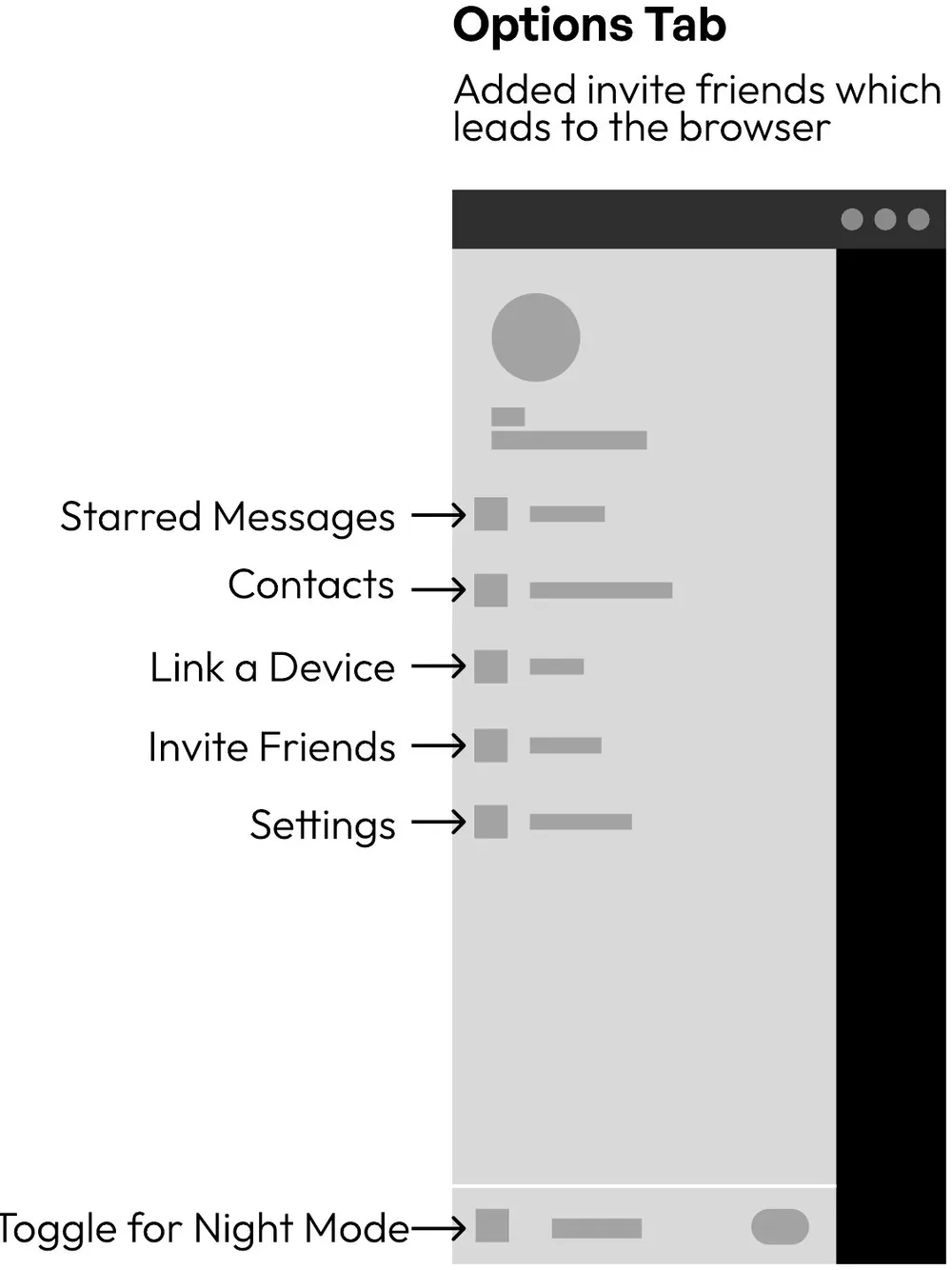
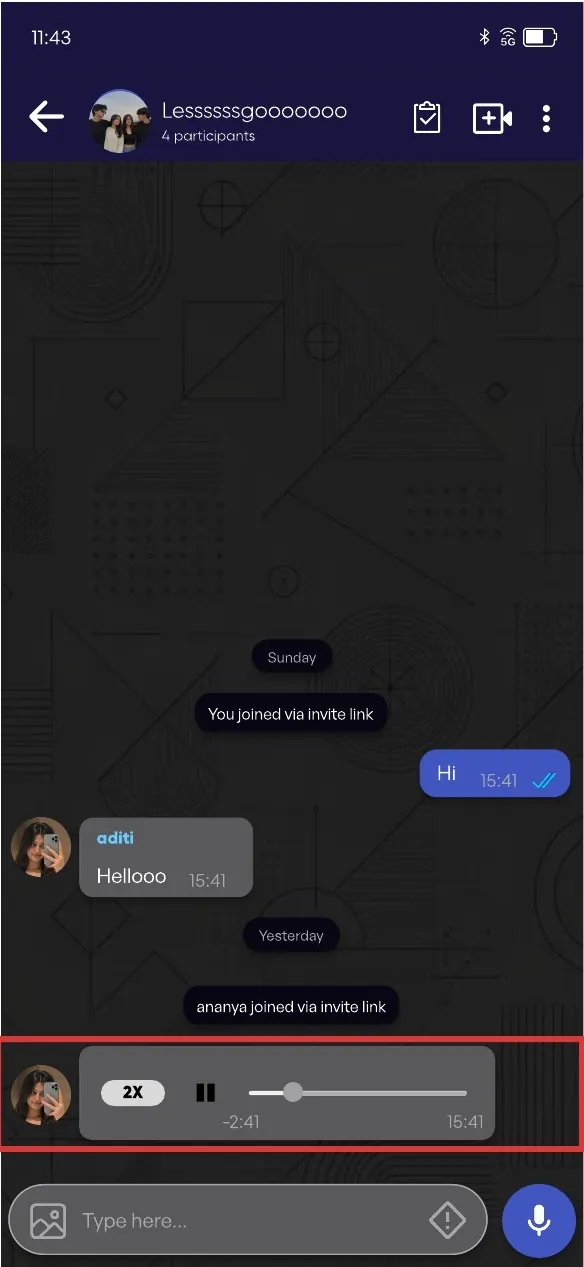
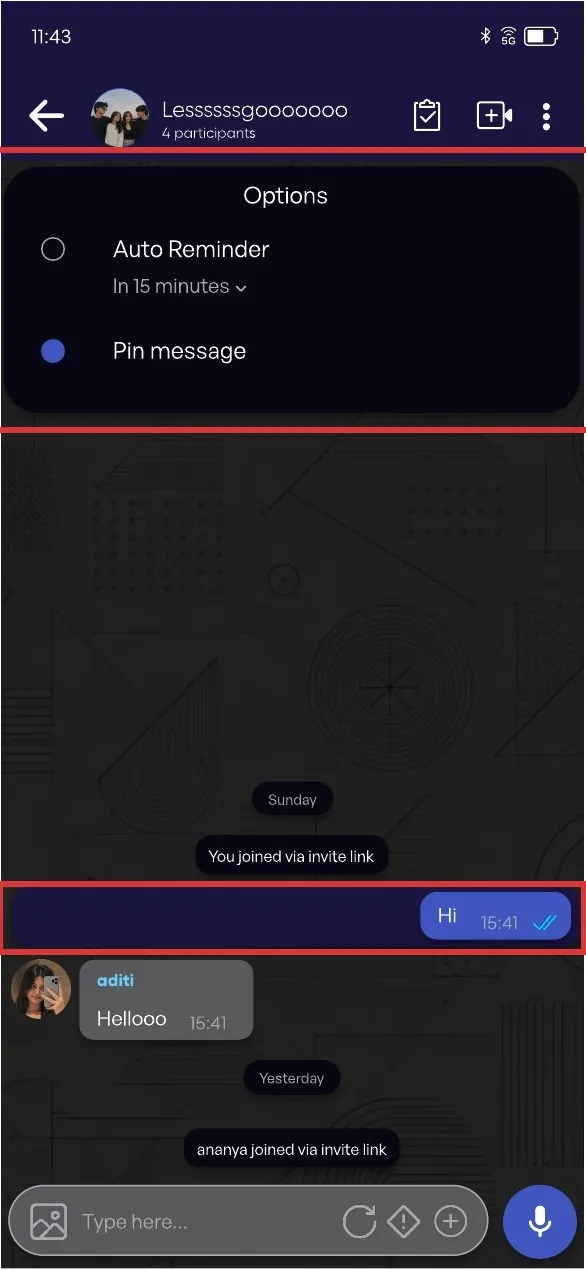
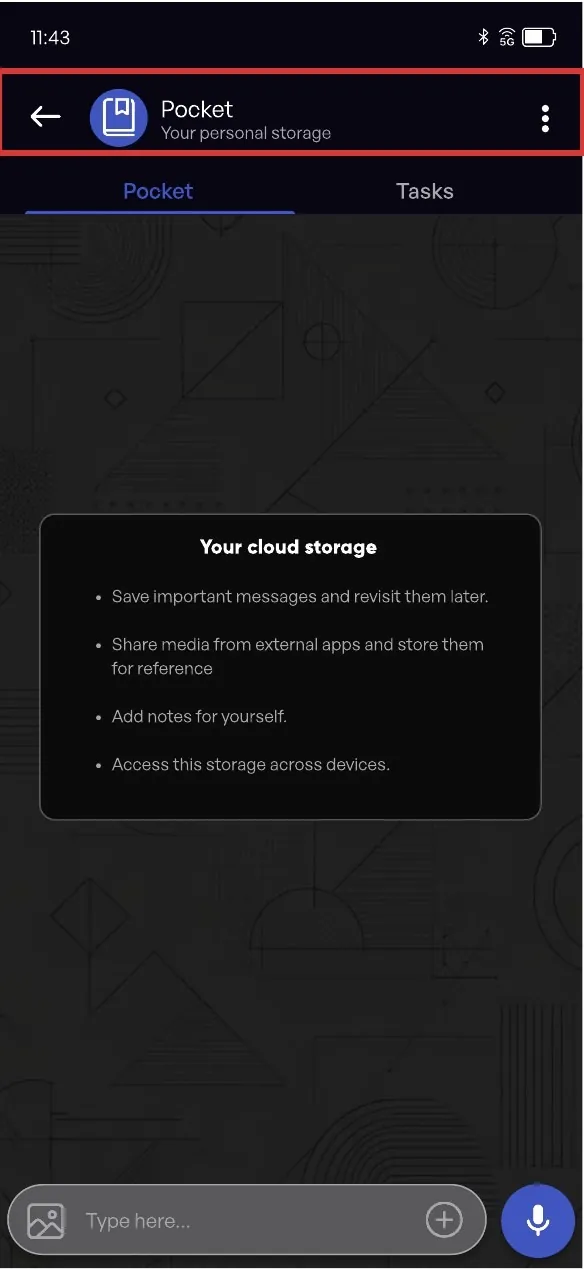
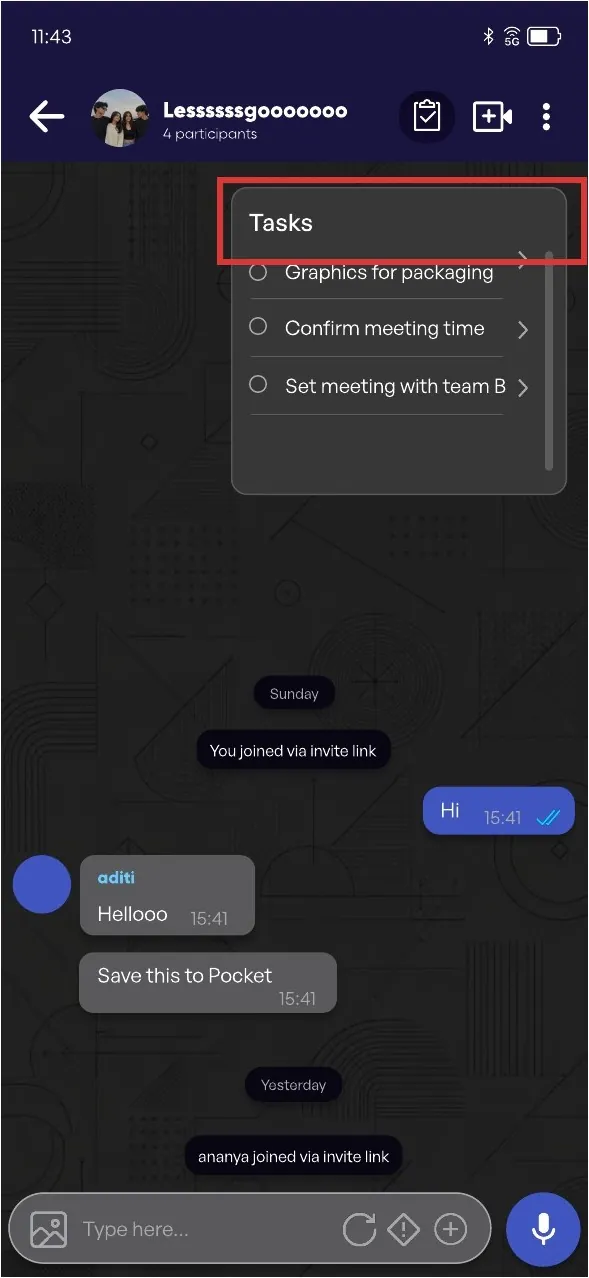
Landing pageAll chatsVoice notesPlayback speedAuto remindersRemind later or pinPocketChat viewChat-specific tasksTick off tasks from that chatDissolve groupsDeletes the group for everyoneBroadcastAnnouncementsInvite friendsFrom the options tab
Success metrics
How I’d know it worked
We started from drop-offs, so these track whether people come, act and stay.
Guest-link-to-install conversionShare of guests who reply through a link and then install Arattai within 7 days.Tests solution 02
Tasks created per weekly active userWhether people really turn messages into tasks, or ignore the feature.Tests solution 01
D7 retentionShare of new users still active 7 days after installing: the drop-off problem we began with.Tests both
Reflection
What I’d do differently
Compare against what competitors ship today.Our first comparison credited Arattai with features WhatsApp, Teams and Slack already had. A fair table made it clearer which ideas really set Arattai apart: tasks inside a fast chat, and guest links.
Design trust alongside the feature.Guest links over SMS are only useful if people trust them. Expiry, verification and limits on what guests see should have been designed with the flow, not added after.
Test with the people we positioned for.Next, I’d put the task and guest-link flows in front of small-business owners and track the three metrics above.